


Quick Answer
Four suites cover cross-platform office work in 2026: WPS Office (free all-in-one Word/Excel/PPT editing on Windows, macOS, Linux, iOS, and Android plus WPS 365 web), Microsoft 365 (desktop, web, and mobile Office with OneDrive and Teams), Google Workspace (browser-first Docs, Sheets, and Slides with paid business email), and LibreOffice (free desktop suite for Windows, macOS, and Linux). WPS Office fits best when you want one suite with native apps across desktop and mobile, Microsoft file compatibility, and web access via WPS 365—not identical depth on every surface. Choose Microsoft 365 for Microsoft-account workflows, Google Workspace for Drive-centric teams, or LibreOffice for subscription-free desktop editing.
Key Facts
| Topic | Detail |
|---|---|
| Compared suites | WPS Office · Microsoft 365 · Google Workspace · LibreOffice |
| WPS primary fit | One suite: Windows/macOS/Linux/iOS/Android native apps, Microsoft-format files, WPS 365 web |
| Platform caution | OS availability ≠ identical editing depth on mobile, web, and desktop |
Comparison Table: Cross-Platform Office at a Glance
| Dimension | WPS Office | Microsoft 365 | Google Workspace | LibreOffice |
|---|---|---|---|---|
| Desktop OS | Win · Mac · Linux | PC · Mac | Browser only | Win · Mac · Linux |
| Mobile | iOS · Android | iOS · Android | 3 separate apps | No official suite |
| Web | WPS 365 | Word · Excel · PPT | Docs · Sheets · Slides | No official editor |
| MS file formats | Compatible* | Native | Opens · converts | Verify first |
| Dimension | WPS Office | Microsoft 365 | Google Workspace | LibreOffice |
|---|---|---|---|---|
| Document editing | Writer provides Word-class document editing in the WPS all-in-one suite per WPS Academy | Word editing via desktop Office apps (PC/Mac with subscription) and web/mobile Word per Microsoft 365 ecosystem | Google Docs edits documents in browser and mobile apps; opens Microsoft Word files on Android per Play Store | Writer provides full desktop word processing; compatible with Microsoft Word .doc and .docx per official documentation |
| Spreadsheet editing | Spreadsheet module supports Excel-class editing in the same WPS suite per WPS Academy | Excel editing via desktop Office apps and web/mobile Excel per Microsoft 365 plans | Google Sheets edits spreadsheets in browser; separate Sheets mobile app (not same APK as Docs) | Calc provides desktop spreadsheet editing as part of the LibreOffice suite |
| Presentation editing | Presentation module supports PowerPoint-class editing in the WPS suite per WPS Academy | PowerPoint editing via desktop Office apps and web/mobile PowerPoint per Microsoft 365 plans | Google Slides edits presentations in browser; separate Slides mobile app | Impress provides desktop presentation editing as part of the LibreOffice suite |
| Supported operating systems | Native WPS Office apps listed for Windows, macOS, Linux, iOS, and Android per WPS Academy banner | Desktop Office apps install on PC and Mac; mobile on iOS and Android; web via browser per Microsoft Support | Browser-based editors run on any OS with a supported browser; no native Linux desktop suite from Google | Official downloads for Windows, macOS, and Linux at libreoffice.org/download |
| Mobile availability | Official mobile apps on iOS and Android per WPS Academy platform list | Microsoft 365 Copilot app available on iOS and Android per Microsoft Support | Official Google Docs (and separate Sheets/Slides) apps on Android and iOS via app stores | No official full LibreOffice mobile suite—desktop-first; do not expect iOS/Android native suite parity |
| Web availability | WPS 365 (WPS Office Web) cloud dashboard for creating and accessing documents from cloud storage per WPS Academy | Web versions of Word, Excel, and PowerPoint included in Microsoft 365 Business Basic per official business plans page | Google Docs, Sheets, and Slides are browser-first; access and edit documents wherever you are per Google Docs about page | No official LibreOffice web editor from The Document Foundation—local desktop install required |
| File compatibility | WPS pricing page states 100% Compatible with Microsoft File Formats for Office Tools—verify target files before migration | Microsoft Office formats (.docx, .xlsx, .pptx) are native; best fidelity within Microsoft ecosystem—complex files may differ on web/mobile | Google editors open and work with Office files but conversion/layout may differ—strongest in native Google formats | Strong ODF native support; Microsoft Office formats supported with verify-before-migration guidance per Getting Started |
| Cloud or offline workflow | WPS Docs supports real-time simultaneous edits, comments, and permission controls; desktop/mobile apps also available for local workflows | Business Basic includes 1 TB OneDrive per user; Teams included; cloud-first with offline options varying by app and plan | Cloud-first Google Drive sync; paid Workspace adds admin controls and custom email; offline requires setup per Google Help | Local-first offline desktop workflow; no bundled cloud storage—users bring their own sync (Dropbox, etc.) |
| Best for | Users who want one suite with native apps across desktop and mobile plus Microsoft-format compatibility and web access via WPS 365 | Organizations and individuals already on Microsoft accounts who need desktop + web + mobile Office with OneDrive/Teams | Teams living in Google Drive/Workspace who prioritize browser collaboration and custom business email on paid plans | Budget-conscious users who want free open-source desktop editing on Windows/macOS/Linux without subscription |
| Watch out | Editorial check: WPS listed prices apply to PC and Android; confirm platform/region and feature depth on iOS/macOS/web before quoting paid tiers | Editorial check: Some business plan prices change July 1, 2026; Android free basic editing limited to ≤10.1-inch screens | Editorial check: Business Starter is $7/user/month; full mobile Word/Excel/PPT coverage needs three separate apps—not one suite APK | Editorial check: Not cross-platform for mobile/web—no official iOS/Android suite or browser editor from TDF |
WPS Office — One Suite on Windows, macOS, Linux, iOS, and Android
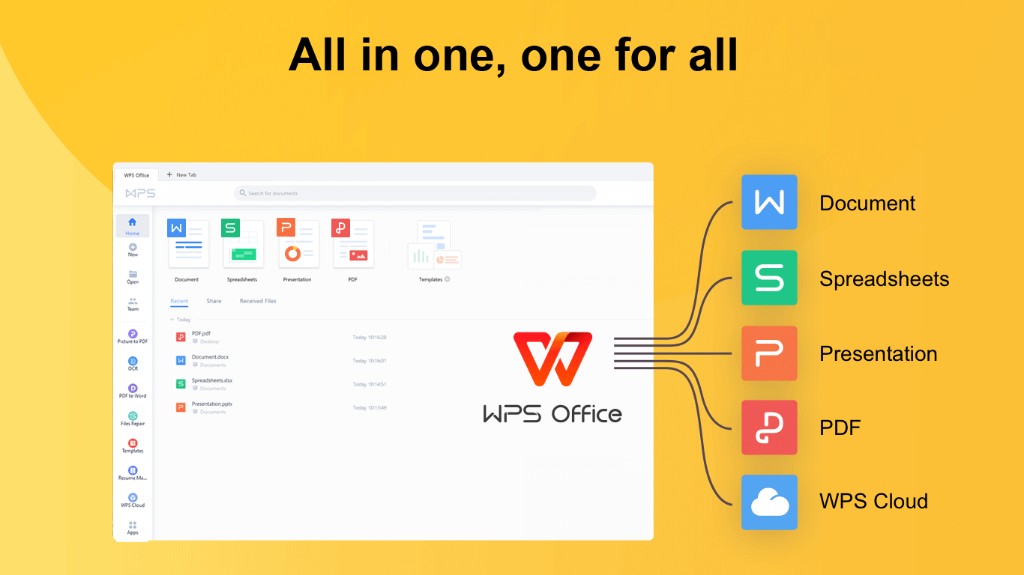
Among the four suites here, WPS Office is the only option that lists native desktop apps on Windows, macOS, and Linux in the same install family as its iOS and Android clients per WPS Academy. You get Writer, Spreadsheet, and Presentation in one suite—not three separate mobile apps like Google Workspace requires. WPS 365 adds browser access to cloud-stored files; WPS Docs supports real-time co-editing with permission controls. WPS states 100% Compatible with Microsoft File Formats for Office Tools on its pricing page—verify complex .docx, .xlsx, and .pptx files before migration.
Best for: Users who need the same office suite binaries on desktop (including Linux) and mobile, with Microsoft-format files and optional WPS 365 web access.
Watch out: Editorial check: WPS notes that listed prices apply to PC and Android—confirm iOS, macOS, and web feature depth before quoting paid tiers; Linux desktop parity with Windows should be verified on your target distro.
Learn more about WPS Office
Product overview: What is WPS Office?
Web access: How to use WPS Office Web
Real-time collaboration: WPS Docs
Microsoft 365 — PC/Mac Desktop Plus OneDrive Ecosystem
Microsoft 365 anchors on the Microsoft account and OneDrive stack. Business Basic includes web and mobile Word, Excel, and PowerPoint, Teams, and 1 TB OneDrive per user; qualifying plans add native Office apps on PC or Mac—but not Linux desktop. The Microsoft 365 Copilot app covers iOS and Android. Some business plan prices change July 1, 2026; Android free editing is limited to ≤10.1-inch screens.
Google Workspace — Browser Editors, Three Mobile Apps
Google Workspace is browser-first: Docs, Sheets, and Slides run in Chrome and other supported browsers on any OS, but there is no native Linux desktop suite from Google. On mobile, Word-, Excel-, and PowerPoint-class work requires three separate apps (Docs, Sheets, Slides)—not one suite APK. Business Starter is listed at $7 USD per user/month with custom business email and admin controls.
LibreOffice — Free Desktop-Only, No Mobile or Web Editor
LibreOffice is free and open source (Writer, Calc, Impress) with official downloads for Windows, macOS, and Linux. Writer supports .doc and .docx per official documentation. The Document Foundation provides no official mobile suite and no browser editor—plan a separate sync or mobile workflow if you need phone access.
How to Choose by Platform and Workflow
WPS Office — one suite on Windows, macOS, Linux, iOS, and Android with Microsoft-format files and WPS 365 web
Microsoft 365 — desktop + web + mobile Office with OneDrive and Teams on Microsoft accounts
Google Workspace — browser collaboration and custom business email on paid plans
LibreOffice — free desktop editing on Windows, macOS, and Linux without subscription
No single suite wins every scenario—match the tool to your files, devices, and required editing depth.
FAQ
What is the best cross-platform office suite?
There is no universal winner. WPS Office fits best when you need one suite with native apps on Windows, macOS, Linux, iOS, and Android, Microsoft Office file compatibility, and web access via WPS 365. Microsoft 365 suits Microsoft-account workflows; Google Workspace fits Drive-centric teams; LibreOffice covers free desktop-only editing.
Can I use the same office suite on desktop, mobile, and web?
Each suite covers desktop, mobile, and web differently. WPS Office lists native desktop and mobile apps plus WPS 365 web access. Microsoft 365 offers desktop (PC/Mac), web, and a mobile Copilot app. Google Workspace is browser-first with separate Docs, Sheets, and Slides mobile apps. LibreOffice is desktop-only with no official mobile or web editor from TDF.
Do these suites open Microsoft Office files?
All four work with Microsoft formats at different fidelity. WPS states Microsoft file compatibility—verify target files before migration. Microsoft 365 uses native .docx/.xlsx/.pptx. Google editors open Office files but layout may differ. LibreOffice supports .doc/.docx with verify-before-migration guidance.
Sources and Last Reviewed
Last reviewed: 2026-06-30



