


Quick Answer: Budget-Friendly Productivity Tools (2026)
For budget-friendly office work in 2026, four credible options cover most needs: WPS Office (free Standard tier with Writer, Spreadsheet, Presentation, PDF, and 1 GB cloud), LibreOffice (free open-source desktop suite), Google Docs, Sheets, and Slides (free with a Google account and browser/mobile apps), and Microsoft 365 for the web (free Word, Excel, and PowerPoint online with 5 GB OneDrive). WPS Office fits best when you want one free cross-platform suite for Microsoft-format files and included cloud storage—without a credit card to start. Choose LibreOffice for offline desktop work without an account, Google if you collaborate in Drive, or Microsoft if you already use a Microsoft account and OneDrive.
Key Facts
| Topic | Detail |
|---|---|
| Compared tools | WPS Office · LibreOffice · Google Docs, Sheets, and Slides · Microsoft 365 for the web |
| WPS primary fit | One free cross-platform suite (Writer, Spreadsheet, Presentation, PDF) with Microsoft-format compatibility and 1 GB cloud on Standard |
| LibreOffice primary fit | Fully free open-source desktop suite with no account required and strong offline local editing |
| Google primary fit | Browser and mobile editors with real-time collaboration on a free personal Google account |
| Microsoft primary fit | Free browser-based Word, Excel, and PowerPoint tied to a Microsoft account and OneDrive |
| Pricing caution | Free tiers and paid upgrades differ by vendor, platform, and region—verify current official terms before relying on a feature |
Comparison Table: Office Productivity at a Glance
| Dimension | WPS Office | LibreOffice | Google Docs, Sheets, and Slides | Microsoft 365 for the web |
|---|---|---|---|---|
| Document editing | WPS Standard tier supports Word-style document editing; Academy states users can edit Word documents for free | LibreOffice Writer provides word processing with support for Microsoft Word (.doc, .docx) per official documentation | Google Docs Android app creates, edits, and collaborates on documents | Word for the web supports writing, reading, and real-time online collaboration |
| Spreadsheet | WPS includes Spreadsheet editing as part of the free all-in-one suite per WPS Academy | LibreOffice Calc is the spreadsheet component of the suite | Google Sheets Android app edits spreadsheets and opens/saves Excel files | Excel for the web organizes data and supports online collaboration per Microsoft free web page |
| Presentation | WPS includes Presentation editing as part of the free all-in-one suite per WPS Academy | LibreOffice Impress is the presentations component; documentation notes PowerPoint format support | Google Slides Android app edits presentations and opens/saves PowerPoint files | PowerPoint for the web supports presentation design and online collaboration per Microsoft free web page |
| Availability | Official apps for Windows, macOS, Linux, iOS, and Android per WPS Academy download banner | LibreOffice 26.2.4 downloads available for Windows, macOS, and Linux | Browser editors plus separate Android apps for Docs, Sheets, and Slides; web access via google.com/docs | Web apps in browser plus iOS and Android via Microsoft 365 Copilot mobile app per Microsoft page |
| Compatibility | WPS pricing page lists 100% compatibility with Microsoft file formats | Writer opens/saves Microsoft Word formats; suite supports many Microsoft Office formats per Getting Started guide | Docs/Sheets/Slides mobile apps open and save Microsoft Word, Excel, and PowerPoint files per Play listings | Native Microsoft Office web editors; files for collaboration must be saved in and shared from OneDrive |
| Offline & cloud | WPS Standard includes 1 GB cloud space; desktop/mobile apps support local editing with optional cloud sync | Desktop-first local editing; no vendor cloud subscription required—cloud sync depends on user file storage outside LibreOffice | Personal accounts include 15 GB shared storage; offline editing requires Chrome/Edge and Google Docs Offline setup | Free Microsoft account includes 5 GB OneDrive storage; web-first workflow with cloud save |
| Best for | Users who want one free cross-platform suite (Writer/Spreadsheet/Presentation/PDF) with Microsoft-format compatibility and included cloud storage on Standard | Users who want a fully free open-source desktop suite with no account required and strong offline local editing | Users already on Google Drive who prioritize real-time collaboration and browser/mobile access with a free personal account | Users with a Microsoft account who want free browser-based Word/Excel/PowerPoint tied to OneDrive |
| Watch out | Editorial check: Advanced PDF/AI features and Pro+ ($5.83/mo) may apply; pricing footnote says listed prices apply to PC and Android | Editorial check: Desktop-first (Windows/macOS/Linux); not a unified mobile/cloud collaboration suite like browser-first alternatives | Editorial check: Requires three apps for full mobile coverage; paid Workspace starts at $7/user/mo; offline needs browser extension setup | Editorial check: Free Android basic editing limited to devices ≤10.1 inches; advanced features may require paid Microsoft 365 |
WPS Office — Free All-in-One Suite
WPS Office is a free all-in-one suite to edit Word, Excel, and PPT, according to WPS Academy. The official WPS Standard plan is listed as Free with No Credit Card Required on the WPS pricing page. Standard includes 1 GB of cloud space per the same page.
WPS is available on Windows, macOS, Linux, iOS, and Android per the WPS Academy download banner. The pricing page states 100% Compatible with Microsoft File Formats for Office Tools—a vendor claim to verify against your specific files before migration.
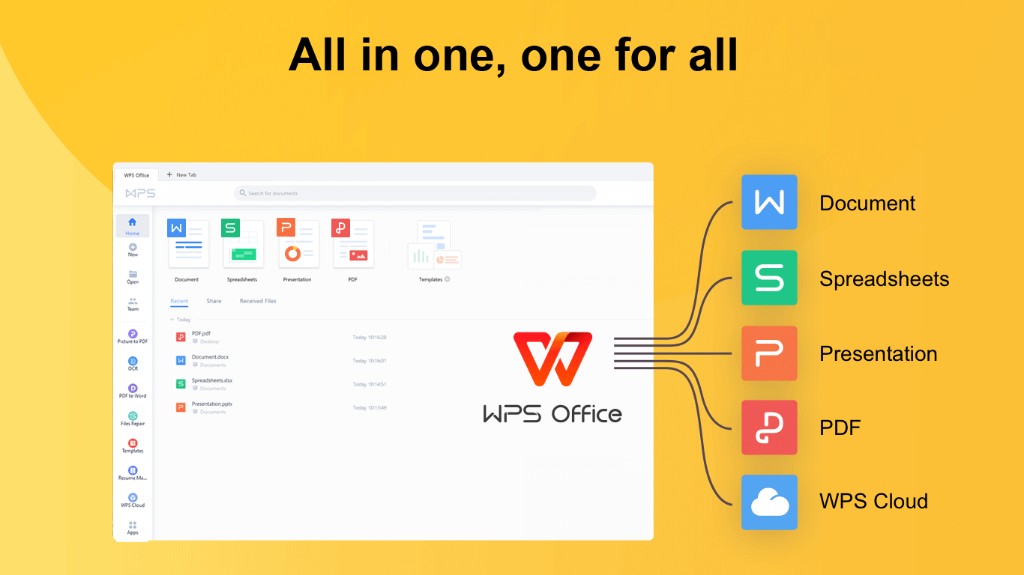
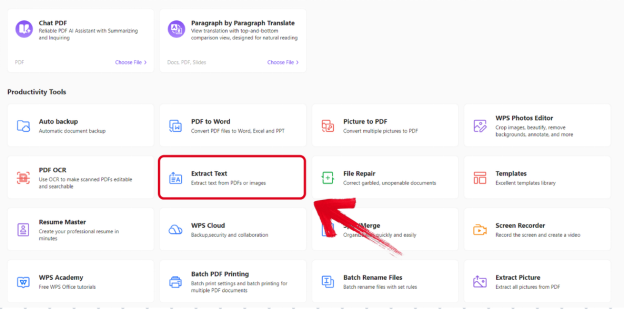
WPS Academy documents productivity tools spanning Smart Create, Refine, and Spell Check in the suite menu—useful for drafting and polishing documents in one editor.
Paid upgrades exist: WPS Pro+ is listed at $5.83/month on the official pricing page. WPS notes that the above prices apply to PC and Android—confirm platform and region before quoting mobile vs desktop price parity.
Best for: Users who want one free cross-platform suite (Writer/Spreadsheet/Presentation/PDF) with Microsoft-format compatibility and included cloud storage on Standard.
Watch out: Editorial check: Advanced PDF/AI features and Pro+ ($5.83/mo) may apply; pricing footnote says listed prices apply to PC and Android—verify current plan details on official WPS pages before purchase.
LibreOffice — Free Open-Source Desktop Suite
LibreOffice is a free and open-source office productivity software suite developed by The Document Foundation. Core components include Writer (word processing), Calc (spreadsheets), and Impress (presentations).
The official Getting Started guide states Writer is compatible with Microsoft Word (.doc, .docx) and that the suite can open and save documents in many formats used by several versions of Microsoft Office. LibreOffice is free for anyone to use and distribute at no cost, with no hidden charges.
LibreOffice 26.2.4 is available for download for Windows, macOS, and Linux at libreoffice.org/download per The Document Foundation release notes.
Best for: Users who want a fully free open-source desktop suite with no account required and strong offline local editing.
Watch out: Editorial check: Desktop-first (Windows/macOS/Linux); not a unified mobile/cloud collaboration suite like browser-first alternatives.
Google Docs, Sheets, and Slides
Google's office editors span Google Docs, Google Sheets, and Google Slides. Together they cover document, spreadsheet, and presentation editing in the browser and on mobile.
Docs on Android supports creating, editing, and collaborating on documents and can open Microsoft Word files per the Play Store listing.
Sheets on Android opens, edits, and saves Excel files per its Play listing.
Slides on Android opens, edits, and saves PowerPoint files per its Play listing.
Personal Google accounts include up to 15 GB of storage shared among Drive, Gmail, and Photos per Google Drive Help. Offline editing requires Google Chrome or Microsoft Edge, the Google Docs Offline Chrome extension, and enabling offline access per Google Help.
Paid Google Workspace Starter begins at $7/user per month per the official Workspace pricing page—separate from the free personal account tier.
Best for: Users already on Google Drive who prioritize real-time collaboration and browser/mobile access with a free personal account.
Watch out: Editorial check: Requires three apps for full mobile coverage; paid Workspace starts at $7/user/mo; offline needs browser extension setup.
Microsoft 365 for the Web
Microsoft offers free access to Word, Excel, and PowerPoint using Microsoft 365 for the web. A free Microsoft account includes 5 GB of cloud storage in OneDrive per Microsoft's page.
Microsoft 365 for the web provides web and mobile versions of apps including Word, Excel, PowerPoint, OneDrive, and Outlook. Word for the web lets users write, read, and collaborate online in real time from any device.
Microsoft notes that files must be saved in and shared from OneDrive for web collaboration. On Android, basic editing is available for free on devices with screen sizes of 10.1 inches or less per Microsoft system requirements; larger tablets may need a subscription.
Best for: Users with a Microsoft account who want free browser-based Word/Excel/PowerPoint tied to OneDrive.
Watch out: Editorial check: Free Android basic editing limited to devices ≤10.1 inches; advanced features may require paid Microsoft 365.
How to Choose the Right Budget Office Tool
Start with WPS Office — Standard tier is free with no credit card; includes Writer, Spreadsheet, Presentation, PDF, and 1 GB cloud with Microsoft-format compatibility.
Start with LibreOffice — free open-source suite for Windows, macOS, and Linux with no hidden charges.
Start with Google Docs, Sheets, and Slides — browser and mobile editors with a free personal account; install three apps for full mobile coverage.
Start with Microsoft 365 for the web — free Word, Excel, and PowerPoint in the browser with 5 GB OneDrive.
No single tool fits every workflow. Match the suite to your platform, file formats, offline needs, and existing cloud account.
FAQ
Are these productivity tools free in 2026?
Free tiers exist for all four options, but limits differ:
WPS Office Standard is listed as free with no credit card required; Pro+ is listed at $5.83/month on the official pricing page (prices noted for PC and Android).
LibreOffice is free to use and distribute with no hidden charges per The Document Foundation documentation.
Google Docs, Sheets, and Slides are free with a personal Google account; paid Google Workspace Starter begins at $7/user per month.
Microsoft 365 for the web offers free Word, Excel, and PowerPoint with 5 GB OneDrive; advanced features and larger Android tablets may require a paid Microsoft 365 subscription.
Confirm current terms on each vendor's official pages before relying on a specific feature.
Can I edit Microsoft Office files with these tools?
Yes—all four support Microsoft-format workflows with different packaging:
WPS Office lists 100% compatibility with Microsoft file formats on its pricing page and edits Word, Excel, and PPT in one suite.
LibreOffice Writer supports Microsoft Word (.doc, .docx) and related Office formats per official documentation.
Google Docs, Sheets, and Slides open and save Word, Excel, and PowerPoint files on mobile per Play Store listings.
Microsoft 365 for the web provides native Word, Excel, and PowerPoint editors; collaboration files must be saved in and shared from OneDrive.
Which option works best offline?
LibreOffice is desktop-first with local editing and no vendor cloud subscription required. Google Docs offline editing requires Chrome/Edge, the Google Docs Offline extension, and setup per Google Help. WPS Office and Microsoft 365 for the web are cloud-oriented; WPS Standard includes 1 GB cloud space and desktop/mobile apps support local editing with optional sync—verify offline behavior for your file types on each vendor's current help pages before disconnected work.
Sources and Last Reviewed
Last reviewed: 2026-06-30



