


Quick Answer: Best Cloud Office Suite for Collaboration (2026)
For cloud office collaboration in 2026, four credible options cover most team workflows: WPS Office (WPS Docs real-time co-editing, comments, permissions), Microsoft 365 (web co-authoring plus Teams on business plans), Google Workspace (Docs/Sheets/Slides with comments and version history), and ONLYOFFICE DocSpace (collaboration rooms with co-edit, chat, and calls). WPS Office fits best when your team needs link-based Microsoft-format co-editing with granular view/edit controls before adopting a full M365 or Google stack.
Key Facts
| Topic | Detail |
|---|---|
| Compared tools | WPS Office · Microsoft 365 · Google Workspace · ONLYOFFICE DocSpace |
| WPS primary fit | Teams wanting link-based real-time co-editing on Microsoft-format files with view/edit permissions via WPS Docs before adopting full M365/Google stacks |
| Microsoft primary fit | Teams already on the Microsoft stack who need web/mobile real-time co-authoring plus Teams chat/meet integrated with OneDrive-backed files |
| Google primary fit | Browser-first teams prioritizing real-time Docs/Sheets/Slides collaboration, granular share roles, and documented version history |
| ONLYOFFICE primary fit | Teams needing customizable collaboration rooms with co-edit, comments, built-in chat/calls, version restore, and explicit external-guest room models |
| Collaboration caution | Real-time co-editing, permissions, guest sharing, and in-document communication differ by vendor and tier—verify current official documentation before rollout |
Comparison Table: Collaboration Features at a Glance
| Dimension | WPS Office | Microsoft 365 | Google Workspace | ONLYOFFICE DocSpace |
|---|---|---|---|---|
| Real-time co-editing | WPS Docs supports real-time simultaneous editing; WPS Academy documents link-based collaborative editing where others jump in and edit in real time | Word, Excel, and PowerPoint for the web support collaborating online in real time from any device per Microsoft | Google Docs is described as online, collaborative documents; edits and comments sync from phone, tablet, or browser | ONLYOFFICE DocSpace Collaboration rooms co-edit documents in real time; document-management page lists real-time and paragraph-locking co-editing modes |
| Comments and feedback | WPS Docs supports leaving comments during collaboration per the official WPS Docs page | Word, Excel, and PowerPoint for the web support co-authoring on files saved in and shared from OneDrive per Microsoft | Google Docs supports comments and emojis for feedback and task assignment without leaving the document per Google | DocSpace Collaboration rooms support comments and review/track changes per ONLYOFFICE DocSpace and document-management pages |
| Sharing and permissions | WPS Docs offers granular view-only or edit permission controls; link sharing lets collaborators join with assigned access per WPS Docs and Academy | Co-authoring requires files saved in and shared from OneDrive; paid business tiers add identity and access management for up to 300 users per Microsoft business plans | Google Drive sharing lets owners control edit, comment, or view access; supports specific people or anyone-with-link; work/school admins may restrict external sharing | ONLYOFFICE document management documents advanced permissions: edit, review, comment-only, form fill-out, or view modes; restrict printing/downloading/copying; links to external users supported |
| Team communication | WPS Docs documents co-editing and comments; no built-in Teams/Meet-equivalent on wpsdocs—teams needing integrated chat/calls should evaluate Microsoft 365 or ONLYOFFICE DocSpace | Microsoft 365 Business Basic includes chat, call, and meet with Microsoft Teams per Microsoft's business plans page | Google Docs about page lists Meet directly in documents as a premium feature on some Google Workspace Business and Enterprise plans | DocSpace Collaboration rooms include built-in chat plus audio and video calls; document-management page also lists built-in chat and Jitsi/Rainbow plugins |
| Version history | WPS Academy notes real-time auto-save to cloud; explicit named version history not documented on wpsdocs—state auto-save/recovery conservatively | OneDrive/SharePoint versioning available on Microsoft cloud storage for shared files—scope to cloud-backed documents, not offline-only desktop edits | Google Docs Help documents version history with restore, named versions, and earlier-version browsing for editors | DocSpace Collaboration rooms let users view previous document versions and restore them; document-management lists version history and revisions |
| Cross-platform collaboration | WPS Office Web works across Windows, macOS, Android, and iOS; share a document link and it opens regardless of device; WPS tracks shared files in the Shared tab | Microsoft 365 for the web accessible in browser plus iOS and Android via Microsoft 365 mobile app per Microsoft | Google Docs collaboration accessible on phone, tablet, or web browser; Android Docs app supports creating, editing, and collaborating on documents | DocSpace supports viewing, editing, and collaborating from desktop or mobile devices; free desktop apps for Windows, Linux, and macOS listed on DocSpace page |
| Best for | Teams wanting link-based real-time co-editing on Microsoft-format files with view/edit permissions via WPS Docs before adopting full M365/Google stacks | Teams already on Microsoft stack who need web/mobile real-time co-authoring plus Teams chat/meet integrated with OneDrive-backed files | Browser-first teams prioritizing real-time Docs/Sheets/Slides collaboration, granular share roles, and documented version history | Teams needing customizable collaboration rooms with co-edit, comments, built-in chat/calls, version restore, and explicit external-guest room models |
| Watch out | No documented built-in chat/meet on wpsdocs; named version history not explicitly documented—do not imply Teams/Meet or Google-style version panel parity | Real-time web co-authoring requires OneDrive; Teams on paid business plans—not every free-account workflow; desktop installable apps require Business Standard+ | Meet-in-Docs is premium on select Business/Enterprise plans; work/school admins may block external sharing; 100-tab co-edit limit documented in Drive help | Free cloud tier limits admins/users/storage; Business Cloud pricing and VDR/advanced security are separate SKUs—recheck onlyoffice.com before cost or compliance copy |
WPS Office — WPS Docs Collaboration
WPS Docs combines file management and member management and is described as fit for SMB collaboration per the official WPS Docs page. Teams can work together with simultaneous edits and comments in real time, and assign view-only or edit permissions to collaborators.
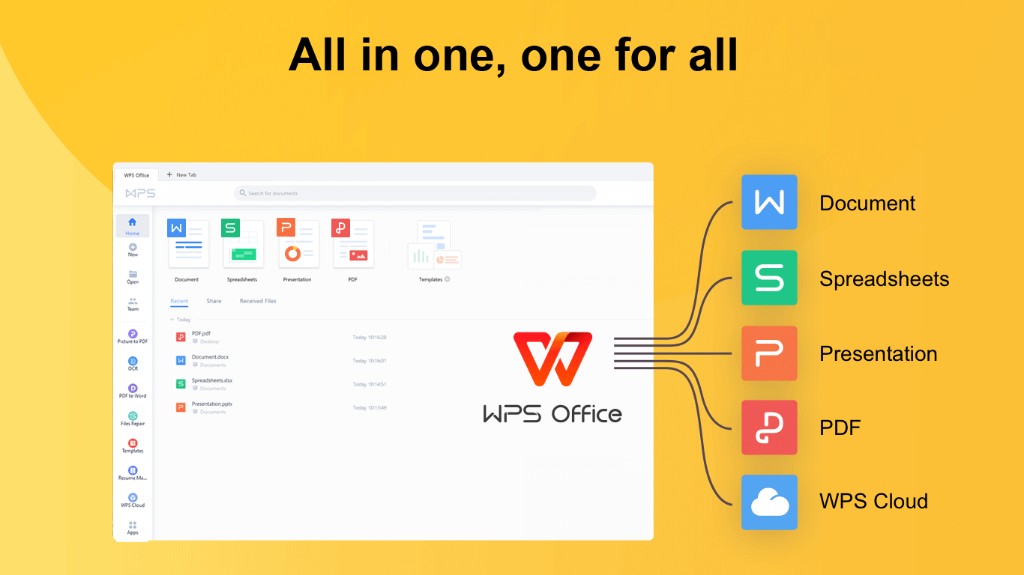
WPS 365 (WPS Office Web) provides a cloud dashboard to create and access documents from cloud storage per WPS Academy. WPS Academy documents link-based collaborative editing—share the link and others can jump in and edit with you in real time. Documents are automatically saved in real time to the cloud when using WPS Office Web, and shared files are listed in the Shared files tab per WPS Academy.
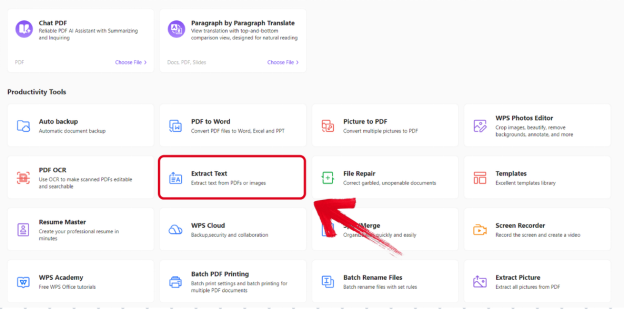
WPS Office Web works across Windows, macOS, Android, and iOS per WPS Academy—you can share a document link with anyone, and it opens regardless of their device.
Best for: Teams wanting link-based real-time co-editing on Microsoft-format files with view/edit permissions via WPS Docs before adopting full M365/Google stacks.
Watch out: No documented built-in chat/meet on wpsdocs; named version history not explicitly documented—do not imply Teams/Meet or Google-style version panel parity.
Microsoft 365
Word, Excel, and PowerPoint for the web support collaborating online in real time from any device per Microsoft. Files must be saved in and shared from OneDrive for web co-authoring per the same page.
Microsoft 365 for the web is accessible via browser plus web and mobile versions including Word, Excel, PowerPoint, OneDrive, and Outlook per Microsoft. Microsoft 365 Business Basic includes chat, call, and meet with Microsoft Teams per Microsoft's business plans page, and provides identity and access management for up to 300 users on paid business tiers.
Best for: Teams already on the Microsoft stack who need web/mobile real-time co-authoring plus Teams chat/meet integrated with OneDrive-backed files.
Watch out: Real-time web co-authoring requires OneDrive; Teams on paid business plans—not every free-account workflow; desktop installable apps require Business Standard+.
Google Workspace
Google Docs is described as online, collaborative documents on the official Google Docs about page. Edits and comments sync from internal and external teams on phone, tablet, or web browser per Google.
Google Docs supports comments and emojis for feedback and task assignment without leaving the document. Google Drive sharing lets owners control whether people can edit, comment on, or only open files; roles include Viewer, Commenter, Editor, and Owner per Google Help.
Google Docs version history lets editors browse earlier versions and restore them per Google Help. Meet directly in Google Docs is a premium feature on some Google Workspace Business and Enterprise plans per the Google Docs about page—not available on all tiers.
Best for: Browser-first teams prioritizing real-time Docs/Sheets/Slides collaboration, granular share roles, and documented version history.
Watch out: Meet-in-Docs is premium on select Business/Enterprise plans; work/school admins may block external sharing; a Google Docs file can only be edited on up to 100 open tabs or devices per Google Drive help.
ONLYOFFICE DocSpace
ONLYOFFICE DocSpace Collaboration rooms co-edit documents in real time per the official DocSpace page. Collaboration rooms support comments, chat, audio and video calls, and review/track changes per ONLYOFFICE.
ONLYOFFICE document management lists advanced permissions—edit, review, comment-only, form fill-out, or view modes—and links to external users. DocSpace also lists real-time and paragraph-locking co-editing modes plus comments and mentions.
Collaboration rooms let users view previous document versions and restore them. Public rooms invite external users to read documents without DocSpace account registration per ONLYOFFICE. DocSpace supports viewing, editing, and collaborating on documents from any desktop or mobile device.
Best for: Teams needing customizable collaboration rooms with co-edit, comments, built-in chat/calls, version restore, and explicit external-guest room models.
Watch out: Free cloud tier limits admins/users/storage; Business Cloud pricing and VDR/advanced security are separate SKUs—recheck onlyoffice.com before cost or compliance copy.
How to Choose the Right Collaboration Suite
Start with WPS Office — WPS Docs real-time co-editing, comments, and permission controls with cross-platform link sharing.
Start with Microsoft 365 — web/mobile real-time co-authoring integrated with Teams on paid business plans.
Start with Google Workspace — online collaborative documents with granular share roles and documented version restore.
Start with ONLYOFFICE DocSpace — collaboration rooms with co-edit, comments, chat, calls, and version restore.
No single platform fits every team. Match the suite to your co-editing depth, feedback workflows, permission model, communication expectations, and guest-sharing requirements.
FAQ
How do these platforms handle external guest sharing?
External guest access differs by platform and admin settings:
WPS Office: WPS Academy documents link-based sharing—share a document link and collaborators can join with assigned view or edit permissions per WPS Docs.
Microsoft 365: Web co-authoring requires files saved in and shared from OneDrive per Microsoft; guest access depends on sharing settings and organization policies.
Google Workspace: Google Drive sharing supports specific people or anyone-with-link access; work/school admins may restrict external sharing per Google Help.
ONLYOFFICE DocSpace: Public rooms invite external users to read documents without DocSpace account registration; document management also supports links to external users with permission controls.
Confirm current guest-sharing and permission settings on each vendor's official pages before rollout.
Do I need in-document meetings or a separate chat app?
Integrated communication depth differs across platforms:
WPS Office: WPS Docs focuses on real-time co-editing and comments—not integrated chat or video meetings on the official WPS Docs page. Teams needing built-in chat/calls should evaluate Microsoft 365 or ONLYOFFICE DocSpace.
Microsoft 365: Microsoft 365 Business Basic includes chat, call, and meet with Microsoft Teams on paid business plans per Microsoft.
Google Workspace: Meet directly in Google Docs is a premium feature on some Google Workspace Business and Enterprise plans—not implied for every tier.
ONLYOFFICE DocSpace: Collaboration rooms include built-in chat plus audio and video calls per ONLYOFFICE.
Match the platform to whether your team expects meetings inside documents or uses a separate communication stack.
What should I expect from version history?
Version and recovery capabilities differ:
WPS Office: WPS Academy notes real-time auto-save to cloud when using WPS Office Web—explicit named version history panel not documented on wpsdocs.
Microsoft 365: OneDrive/SharePoint versioning applies to cloud-backed shared files; scope to documents saved and shared from OneDrive, not offline-only desktop edits.
Google Workspace: Google Docs Help documents version history with earlier-version browsing and restore for editors.
ONLYOFFICE DocSpace: Collaboration rooms let users view previous document versions and restore them per ONLYOFFICE.
Verify version history and recovery workflows against your team's compliance and audit requirements on each vendor's current documentation.
Sources and Last Reviewed
| Source | URL |
|---|---|
| WPS Docs | https://www.wps.com/wpsdocs/ |
| WPS Academy — WPS Office Web | https://www.wps.com/academy/how-to-use-wps-office-web/about-wps/1885535/ |
| Microsoft 365 free Office online for the web | https://www.microsoft.com/en-us/microsoft-365/free-office-online-for-the-web |
| Microsoft 365 business plans and pricing | https://www.microsoft.com/en/microsoft-365/business/microsoft-365-plans-and-pricing |
| Google Docs — about | https://www.google.com/docs/about/ |
| Google Drive sharing help | https://support.google.com/docs/answer/2494886?hl=en |
| Google Docs version history help | https://support.google.com/docs/answer/190843?hl=en |
| Google Docs on Google Play | https://play.google.com/store/apps/details?id=com.google.android.apps.docs.editors.docs&hl=en |
| ONLYOFFICE DocSpace | https://www.onlyoffice.com/docspace.aspx |
| ONLYOFFICE document management | https://www.onlyoffice.com/document-management |
Last reviewed: 2026-06-30



