


Quick Answer
If you want documents, spreadsheets, presentations, and PDF on iPad with as few App Store installs as possible, four credible options differ mainly by integration model: WPS Office combines Docs, Sheets, Slides, and PDFs into one AI-powered app on iPhone and iPad (requires iPadOS 15.0 or later on iPad per the App Store listing), Microsoft 365 Copilot acts as an AI and preview hub that redirects editing to separate Word, Excel, and PowerPoint iPad apps (per Microsoft Support, February 2026), Apple iWork spans three native apps—Pages, Numbers, and Keynote—and Google requires three App Store apps (Docs, Sheets, and Slides). WPS is a strong fit when you want one App Store install to create and edit Word-, Excel-, and PowerPoint-class files plus PDF without juggling separate Microsoft or Google editor apps—accepting Free with In-App Purchases, a PC/Android pricing footnote on paid tiers, and no verified iPad Pro–exclusive feature depth in current official sources. Choose Microsoft if you already subscribe and tolerate a multi-app workflow; Apple iWork if you prefer native Apple apps; Google if your files live in Google Drive.
Key Facts
| Topic | Detail |
|---|---|
| Compared options | WPS Office · Microsoft 365 Copilot app (+ Word, Excel, PowerPoint for iPad) · Apple iWork · Google Docs, Sheets, and Slides |
| WPS primary fit | iPad users who want one App Store install for Word/Excel/PPT-class files and PDF without separate Microsoft or Google editor apps |
| Microsoft primary fit | Microsoft 365 subscribers who want Copilot Chat/preview and already use Word, Excel, and PowerPoint iPad apps for editing |
| Apple primary fit | iPad users in the Apple ecosystem who accept three native apps and iCloud/Box sharing |
| Google primary fit | iPad users in Google Drive workflows who accept three apps and browser-first collaboration |
| Integration caution | "Integrated" means different things—one binary (WPS) vs Copilot hub plus redirects vs three-app trios (Apple, Google) |
| Compatibility caution | No suite guarantees full Excel macro/VBA parity or perfect import layout—test professor or client files on iPad before relying on them |
Comparison Table: iPad Office Suites at a Glance
| Dimension | WPS Office | Microsoft 365 Copilot app | Apple iWork | Google Docs, Sheets, and Slides |
|---|---|---|---|---|
| Integrated suite model | Single WPS Office iOS/iPad app combines Docs, Sheets, Slides, and PDF | Copilot app is AI/preview hub; Word, Excel, PowerPoint editing discontinued inside Copilot—redirects to standalone apps | Three separate Apple apps—Pages, Numbers, Keynote—share iCloud/Box collaboration but are not one unified binary | Three separate Google apps on App Store—Docs, Sheets, Slides—not one unified office binary |
| iPad / iPadOS support | iPhone and iPad; requires iPadOS 15.0 or later—does not document iPad Pro–specific optimization | iPhone and iPad; Copilot app requires iPadOS 18.0 or later | Pages, Numbers, Keynote available on iPhone, iPad, and Mac | Google Docs and Sheets: iPhone and iPad |
| Document editing | App Store lists doc/docx; WPS Academy describes all-in-one Word-class editing | Word for iPad (separate app) supports creating and editing documents; Copilot app previews and redirects for edits | Pages: create, view, edit documents; real-time collaboration without subscription | Google Docs iOS Help: create, view, edit documents and Word files on iPhone and iPad |
| Spreadsheet editing | App Store lists xls/xlsx/csv among supported spreadsheet formats on iOS | Excel editing occurs in standalone Excel for iPad app after Copilot redirect | Numbers on iPhone and iPad for spreadsheet creation and editing | Google Sheets: create, edit, collaborate; open, edit, save Excel files on iPad |
| Presentation editing | App Store lists ppt/pptx among supported presentation formats on iOS | PowerPoint editing occurs in standalone PowerPoint for iPad app after Copilot redirect | Keynote on iPhone and iPad for presentation creation and editing | Google Slides app required for presentations—separate App Store install |
| PDF support | App Store description includes PDF; wps.com/office/ios highlights PDF editing and signing | Word for iPad listing mentions convert PDFs to Word for editing—PDF workflow is app-specific | Pages exports to PDF; dedicated PDF editor not bundled—export-oriented PDF workflow only | Google Docs iOS Help focuses on DOC/DOCX export; PDF export may require separate steps |
| File compatibility | WPS pricing states 100% Compatible with Microsoft File Formats—verify each file on iPad before relying on it | Native Microsoft formats in Word/Excel/PowerPoint iPad apps; complex macros/VBA may fail—test class files | Pages imports Microsoft Word and exports Word/PDF—verify required .docx/.xlsx hand-in formats | Docs opens Microsoft Word files; Sheets opens Excel files—test layout fidelity on iPad |
| Best for | iPad users who want one App Store install for Word/Excel/PPT-class files and PDF without separate Microsoft or Google editor apps | Microsoft 365 subscribers who want Copilot Chat/preview hub and already use Word, Excel, and PowerPoint iPad apps | iPad users already in Apple ecosystem who accept three native apps and iCloud/Box sharing for coursework | iPad users in Google Drive workflows who accept three apps and browser-first collaboration |
| Watch out | Editorial check: Free with IAP on App Store; wps.com/ios copy skews iPhone; wps.com/pricing footnote says listed prices apply to PC and Android—confirm iPad IAP before quoting paid tiers | Editorial check: Not a single integrated editing app on iPad in 2026; requires Word + Excel + PowerPoint + OneDrive installs; IAP/subscription gates on App Store | Editorial check: Three-app install; Windows/Android classmates cannot co-edit natively; optional Creator Studio IAP | Editorial check: Three App Store installs; offline mentioned in Docs listing but requires setup; Workspace paid AI tiers separate from personal free apps |
WPS Office for iPad — One App for Docs, Sheets, Slides, and PDF
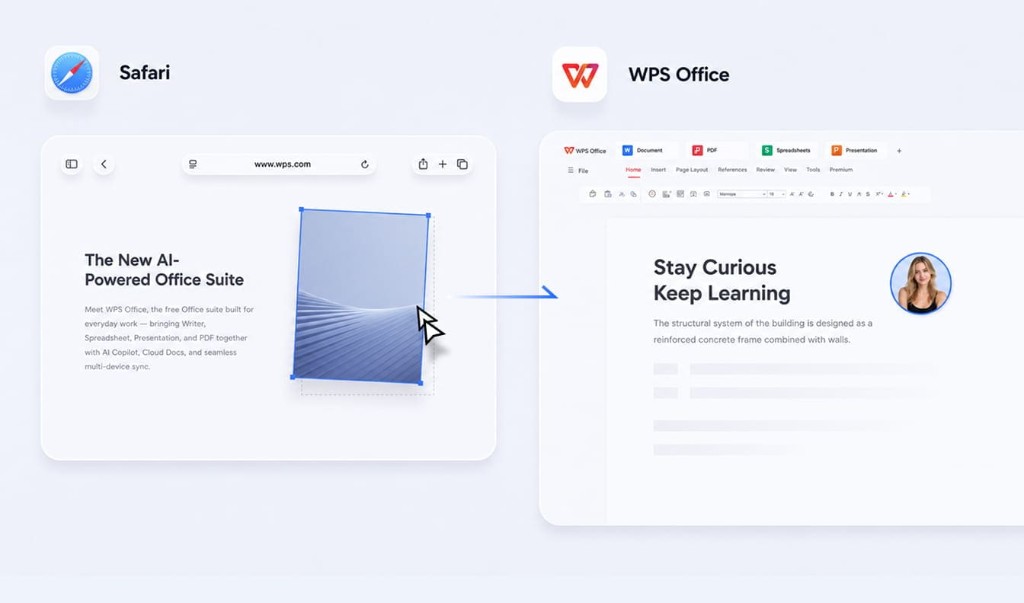
WPS Office is described as a free all-in-one suite to edit Word, Excel, and PPT per WPS Academy. On iOS, wps.com/office/ios states WPS Office combines Docs, Sheets, Slides, and PDFs into one AI-powered app. The App Store listing confirms iPhone and iPad compatibility with iPadOS 15.0 or later on iPad and lists doc/docx, xls/xlsx/csv, ppt/pptx, and PDF among supported formats.
In-app document editing on iPad
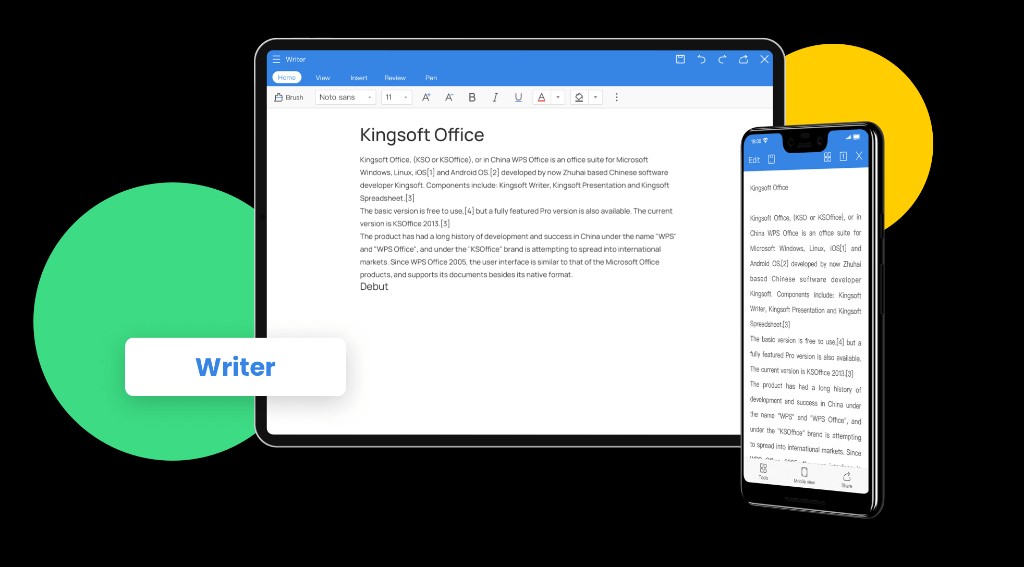
WPS Writer on iPad supports document creation and editing with a mobile toolbar for formatting, review, and pen input—useful for essays, reports, and Word-class assignments without switching to a separate app.
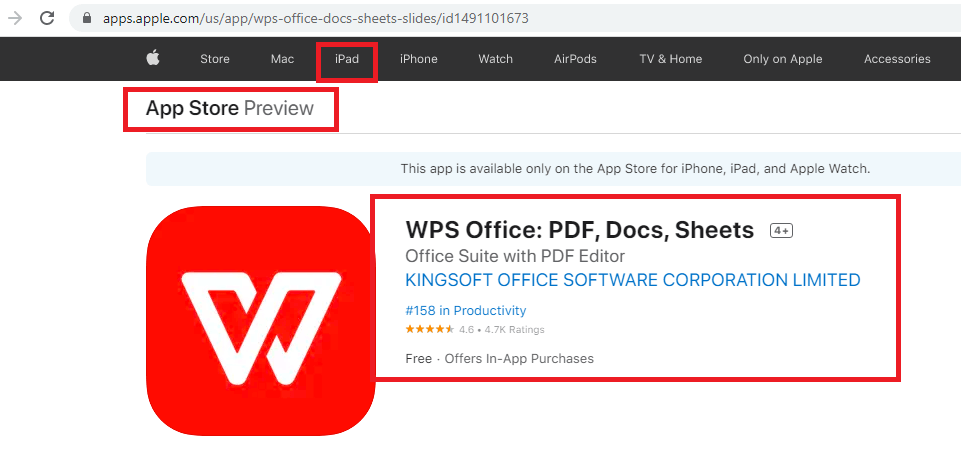
WPS is available on Windows, macOS, Linux, iOS, and Android per WPS Academy download banner. WPS pricing states 100% Compatible with Microsoft File Formats for Office Tools—verify each professor or client file on iPad before submission or handoff. The App Store lists WPS Office as Free with In-App Purchases; marketing on wps.com/office/ios can skew toward iPhone—confirm iPad behavior on your device.
Best for: iPad users who want one App Store install for Word/Excel/PPT-class files and PDF without separate Microsoft or Google editor apps.
Watch out: Editorial check: Free with IAP on App Store; wps.com/ios copy skews iPhone; wps.com/pricing footnote says listed prices apply to PC and Android—confirm iPad IAP before quoting paid tiers.
Learn more about WPS Office on iPad
iOS product page: WPS Office for iOS
App Store listing: WPS Office on the App Store
Product overview: What is WPS Office?
Microsoft-format compatibility: WPS pricing
Microsoft 365 Copilot App for iPad — AI Hub; Editing in Word, Excel, and PowerPoint Apps
Microsoft Support (February 2026) states that editing Microsoft Word, Excel, and PowerPoint files inside the Microsoft 365 Copilot mobile app will be discontinued; users are redirected to open or install dedicated Word, Excel, PowerPoint, and OneDrive mobile apps. The Copilot app on mobile supports file preview and Copilot Chat; to edit, users open the appropriate Word, Excel, or PowerPoint mobile app.
The Microsoft 365 Copilot App Store listing confirms iPhone and iPad compatibility with iPadOS 18.0 or later on iPad. Microsoft Word for iPad (separate app) supports creating, editing, and collaborating on documents on iPhone and iPad. Word for iPad also mentions convert PDFs to Word for quick editing—PDF handling is app-specific, not a single Copilot in-app PDF suite.
Best for: Microsoft 365 subscribers who want Copilot Chat/preview hub and already use Word, Excel, and PowerPoint iPad apps for editing.
Watch out: Editorial check: Not a single integrated editing app on iPad in 2026; requires Word + Excel + PowerPoint + OneDrive installs; IAP/subscription gates on App Store.
Apple iWork — Pages, Numbers, and Keynote on iPad
Apple iWork spans three apps—Pages (documents), Numbers (spreadsheets), and Keynote (presentations)—on iPhone, iPad, and Mac; they are not one unified App Store binary. Pages is Free with In-App Purchases; creating, viewing, and editing documents and real-time collaboration do not require a subscription per the App Store. Pages imports Microsoft Word files and exports to PDF and Microsoft Word format. Numbers on iPhone and iPad supports spreadsheet creation and editing.
Best for: iPad users already in the Apple ecosystem who accept three native apps and iCloud/Box sharing for coursework.
Watch out: Editorial check: Three-app install; Windows/Android classmates cannot co-edit natively; optional Creator Studio IAP.
Google Docs, Sheets, and Slides on iPad
Google's mobile office workflow requires three separate App Store apps (Docs, Sheets, Slides)—not one integrated suite binary. Google Docs iOS Help states you can create, view, and edit Google documents, as well as Microsoft Word files, with the Google Docs app for iPhone and iPad. Google Sheets on iPhone and iPad supports create, edit, and collaborate on spreadsheets and open, edit, and save Excel files. On iPhone or iPad, tap New → Choose template in Docs/Sheets/Slides to start from Google-created templates.
Best for: iPad users in Google Drive workflows who accept three apps and browser-first collaboration.
Watch out: Editorial check: Three App Store installs; offline mentioned in Docs listing but requires setup; Workspace paid AI tiers separate from personal free apps.
How to Choose by Integration Model and File Requirements
Start with WPS Office — single iOS/iPad app for Docs, Sheets, Slides, and PDF per wps.com/office/ios and App Store listing.
Start with Microsoft 365 Copilot for preview and Copilot Chat, plus Word, Excel, PowerPoint, and OneDrive for editing.
Start with Apple iWork — Pages, Numbers, and Keynote trio on iPhone, iPad, and Mac.
Start with Google Docs, Sheets, and Slides — three App Store installs for full document, spreadsheet, and presentation coverage.
Professor or client sends
.docxor.xlsx: WPS Office or Microsoft Word/Excel for iPad — test each file on iPad before the deadline; Google and Apple imports may shift layout.
No single app fits every iPad workflow—match the suite to how many icons you want on your Home Screen and which file formats you must open reliably.
FAQ
What counts as an "integrated" office app on iPad?
Integration model varies by vendor. WPS packs docs, sheets, slides, and PDF into one App Store app. Microsoft routes editing to separate Word, Excel, and PowerPoint apps after Copilot preview. Apple and Google each require three apps for full document, spreadsheet, and presentation coverage.
Can I edit everything inside the Microsoft 365 Copilot app on iPad?
No. Microsoft Support (February 2026) discontinued in-app Word, Excel, and PowerPoint editing inside the Copilot mobile app. You preview files and use Copilot Chat in Copilot, then open Word, Excel, or PowerPoint to edit.
Will these apps open my .docx and .xlsx files on iPad?
All four options work with Microsoft formats at varying fidelity. WPS states 100% Compatible with Microsoft File Formats—verify each file on iPad before submission. Word/Excel for iPad handle native formats; Google and Apple imports may shift layout—test exports.
Is WPS Office optimized specifically for iPad Pro?
Official sources confirm iPhone and iPad support and iPadOS 15.0 or later on iPad—they do not document iPad Pro–specific hardware optimization. Test your actual workflow on your iPad before assuming Pro-only features.
Sources and Last Reviewed
Last reviewed: 2026-06-30



