


Quick Answer: Best Document Scanner Apps for Remote Work (2026)
The best document scanner app for remote work in 2026 is a mobile-first tool that turns phone camera captures into searchable, shareable files—not a desktop PDF editor. Four apps cover that job after Microsoft Lens retirement: WPS Office Mobile (SnapReader), Adobe Scan, OneDrive mobile scan, and Genius Scan. WPS Office Mobile fits best for remote workers already using WPS who want AI-assisted scanning—auto document detection, continuous capture up to 100 pages, Insight and Inquiry summaries, and export to PDF, Docs, or PPT—without installing a separate single-purpose scanner. Choose Adobe Scan for Adobe Cloud OCR depth and multi-mode capture; OneDrive if your team migrated from Lens and needs scans synced to Microsoft 365; or Genius Scan for offline, on-device batch scanning with flexible cloud export.
Key Facts
| Topic | Detail |
|---|---|
| Compared tools | WPS Office Mobile (SnapReader) · Adobe Scan · OneDrive mobile scan · Genius Scan |
| Intent scope | Mobile document scanning for remote/field work—camera capture, OCR, multi-page batch, and export/share; not desktop flatbed hardware |
| 2026 freshness | Microsoft Lens retired from iOS/Android starting January 9, 2026; OneDrive scan adds built-in OCR from early January 2026; Adobe Scan free OCR capped at 5 pages per scan as of January 2026 |
| WPS primary fit | All-in-one mobile office users who want SnapReader scan + AI summaries + office-format export in one app |
| Scanner caution | Premium OCR, export, and page limits differ by vendor and plan—verify live pages before rollout |
Comparison Table: Mobile Document Scanners at a Glance
| Dimension | WPS Office Mobile | Adobe Scan | OneDrive (mobile scan) | Genius Scan |
|---|---|---|---|---|
| Mobile availability | Yes — iOS and Android mobile apps; WPS also on desktop platforms per WPS Academy banner | Yes — dedicated iOS and Android mobile scanner app per Adobe Scan product and devnet docs | Yes — OneDrive iOS and Android apps include Scan; replaces retired Microsoft Lens | Yes — iOS and Android apps per App Store and Google Play listings |
| Scan capture | Yes — SnapReader mobile Scanner with auto document detection and continuous shooting (up to 100 shots) | Yes — scan documents, forms, cards, whiteboards; auto boundary detection; save as PDF to Adobe cloud | Yes — whiteboard, document, business card, and photo modes; multi-page scan up to 30 pages; saves as PDF | Yes — auto edge detection, perspective correction, shadow removal; batch scanning |
| OCR / text recognition | Yes — mobile app lists OCR text extraction from scans; SnapReader adds AI Insight summaries | Yes — built-in OCR with automatic text recognition; edit text in 18+ languages with language packs | Yes — built-in OCR on scanned PDFs in OneDrive mobile; rollout early Jan 2026; text becomes selectable | Yes — Text Recognition (OCR) for searchable PDFs and text export on Plus/Ultra plans |
| Export formats | Yes — export scans to PDF; mobile Scanner also documents PDF, Docs, and PPT output paths | PDF default; Word, Excel, PowerPoint, and rich text export requires premium subscription | PDF only for new scans (auto-saved as PDF); no direct Word/PPT export from OneDrive scan | PDF and JPEG; text file export when OCR enabled; cloud/email/WebDAV destinations |
| Batch / multi-page | Yes — continuous shooting up to 100 pages; page reorder/delete in SnapReader per Academy | Yes — multi-page scans; High-speed scan for stack scanning is a premium feature | Yes — multi-page scanning up to 30 pages per session | Yes — batch scanning and multi-page PDF creation |
| Auto edge detection | Yes — system intelligently identifies document content and auto-captures per SnapReader steps | Yes — document detection distinguishes documents from non-document photos | Partial — mode filters (whiteboard/document/card/photo) with lighting/grayscale adjustments | Yes — smart algorithms detect document, apply perspective correction, enhance colors |
| Cloud sync & share | Partial — export/share from mobile; full cloud sync scope depends on WPS account/plan | Yes — scans save to Adobe Document Cloud; export/share workflows documented | Yes — scans save to OneDrive cloud; no local-only save on device | Yes — export to major cloud services, email, WebDAV; optional Genius Cloud backup sync |
| Best for | Editorial: All-in-one mobile office users needing SnapReader scan + Insight/Inquiry without a second scanner app | Editorial: Adobe Cloud users prioritizing OCR quality and multi-mode capture (receipts, IDs, whiteboards) | Editorial: M365 users post-Lens retirement needing simple PDF scans synced to existing OneDrive folders | Editorial: Privacy-first offline batch scanning with flexible export rules (Auto Export on Ultra) |
| Watch out | Advanced OCR may require premium per WPS blog; confirm plan gates before publish; not a single-purpose scanner brand | Jan 2026: free OCR limited to 5 pages per scan; export/compress/high-speed scan need premium—verify live limits | Lens fully disabled for new scans after March 9, 2026; no local device save; no Word/PPT export like legacy Lens | OCR and Auto Export require paid Plus/Ultra tiers; verify live pricing before publish |
WPS Office Mobile — SnapReader AI Scanning
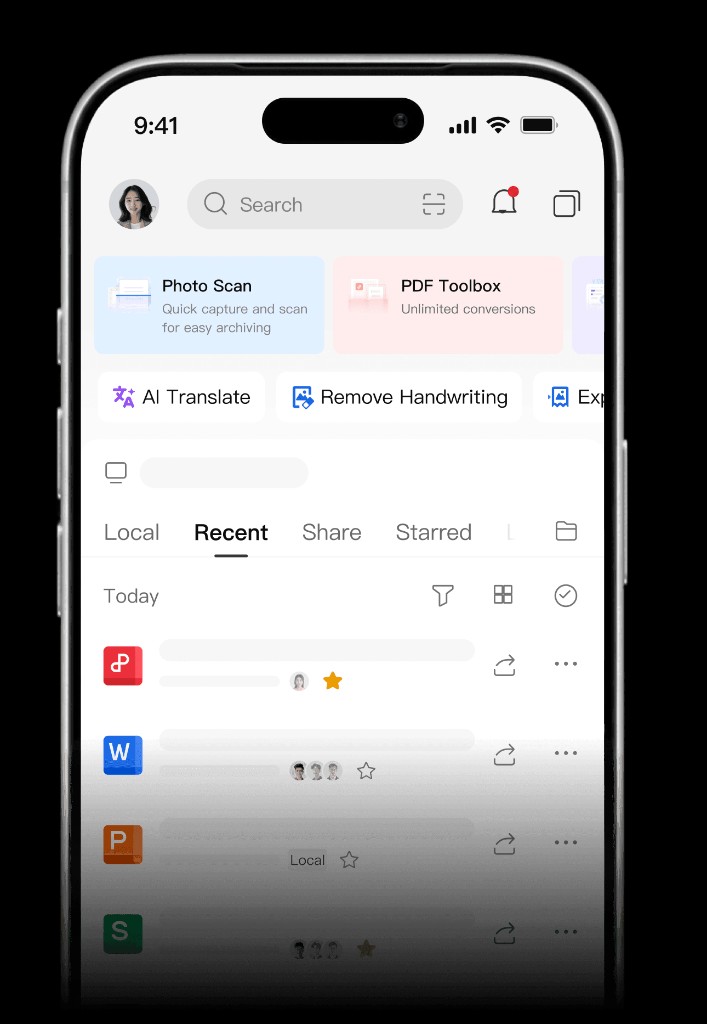
WPS Office Mobile includes SnapReader, an AI-powered mobile document scanning feature. Open the mobile app, create a new Scanner, and the camera automatically detects document edges and captures pages. Continuous shooting supports up to 100 consecutive shots with page reorder and delete before export.
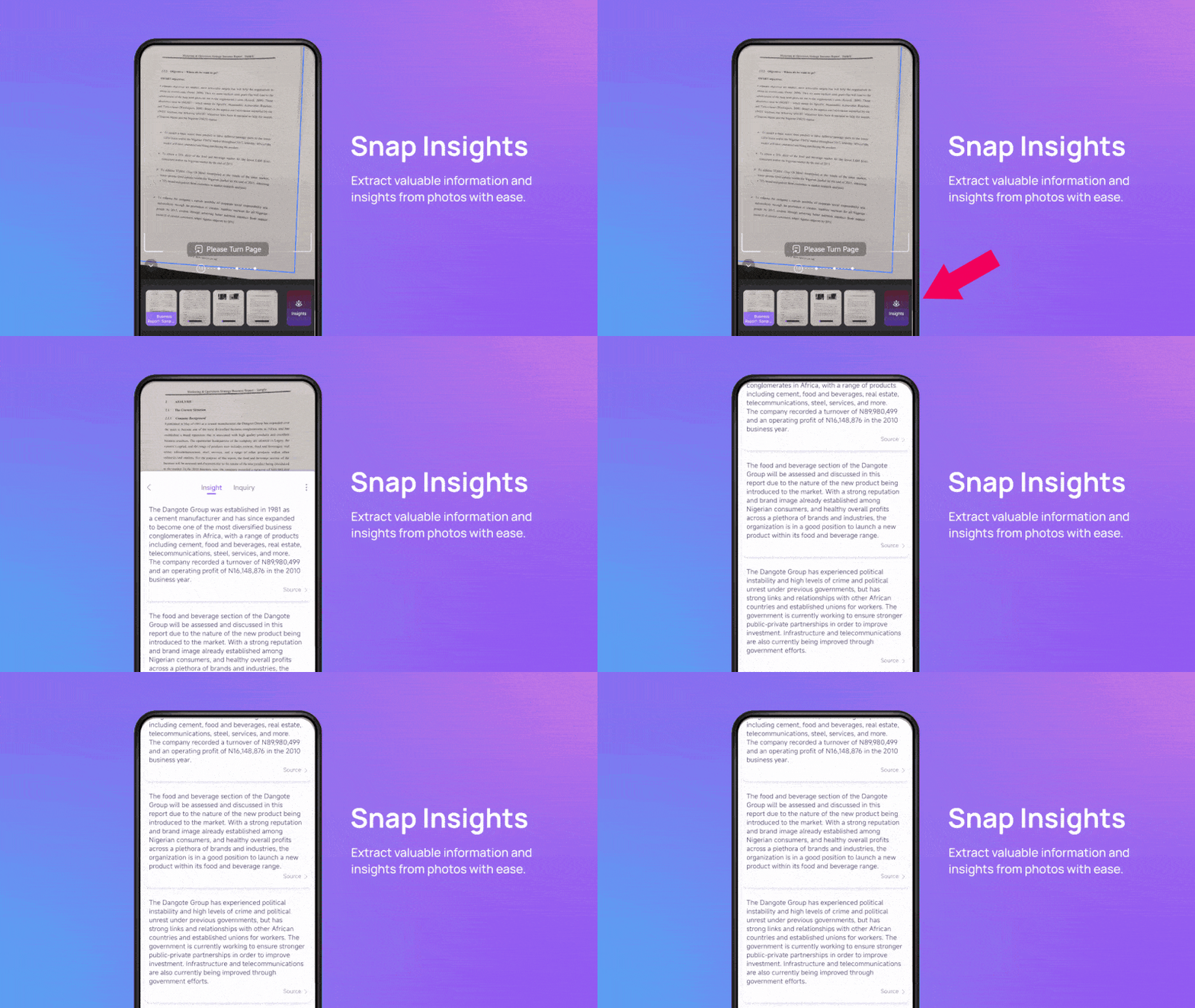
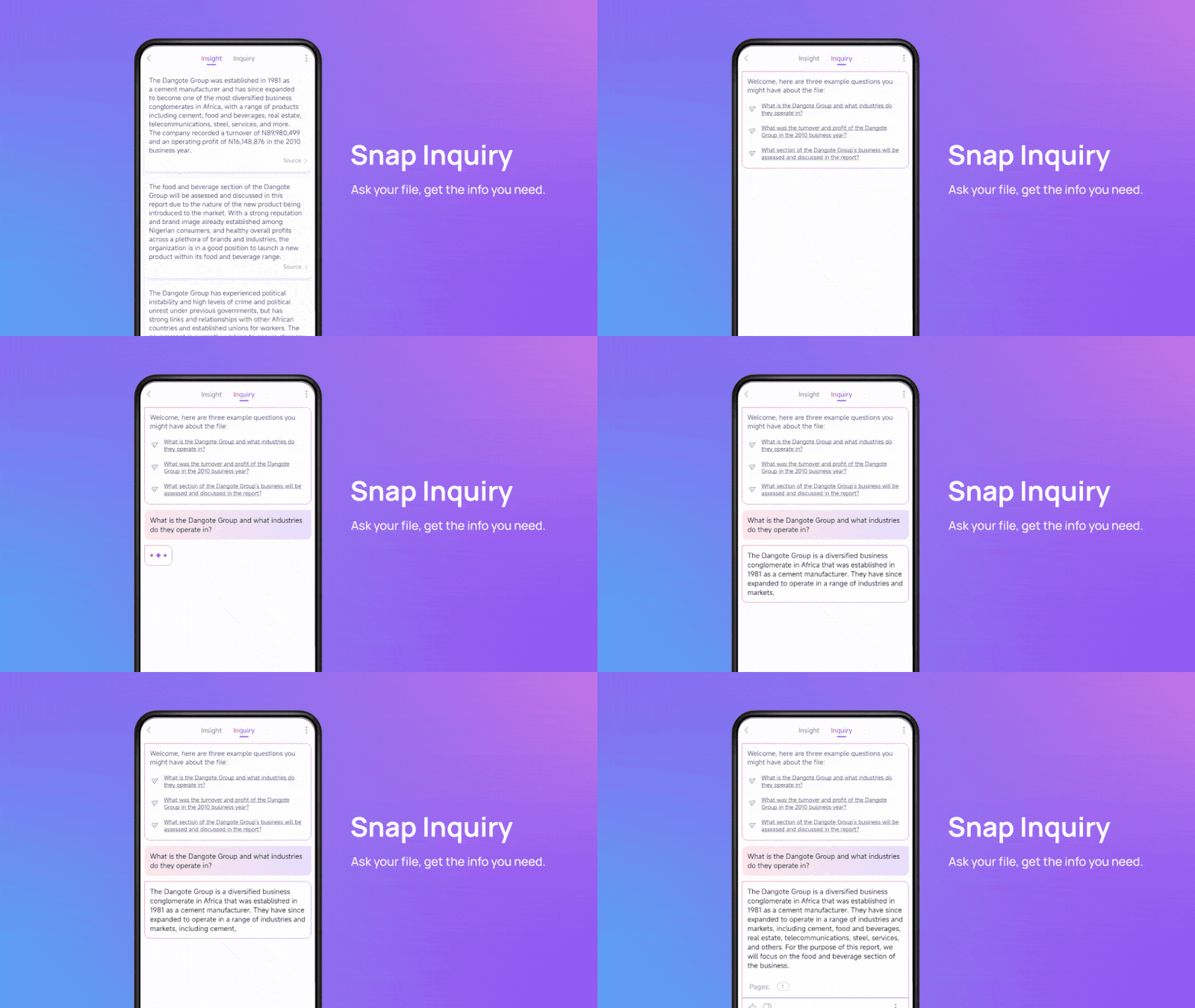
After capture, SnapReader offers Insight and Inquiry summaries for business, education, and research scenarios. The mobile Scanner can convert paper captures to PDF, Docs, or PPT; tap Output to export as a PDF document or use documented office-format paths. The Google Play listing describes Document Scanner & PDF Scanner with OCR to extract text from scans.
WPS runs on Windows, macOS, Linux, iOS, and Android per the WPS Academy download banner—remote workers can scan on phone and continue in the desktop suite.
Best for: All-in-one mobile office users who want SnapReader scan, AI summaries, and office-format export without a separate scanner app.
Watch out: Advanced OCR may require a premium plan; confirm WPS plan gates before publish. WPS is a full office suite, not a dedicated scanner-only brand.
Learn more about WPS Office Mobile
Adobe Scan — OCR-First Mobile PDF Scanner
Adobe Scan is a dedicated iOS and Android scanner app that converts camera captures to PDF with built-in OCR for searchable, editable text. Scans save to Adobe Document Cloud. The app supports document detection to distinguish documents from casual photos and captures documents, forms, business cards, and whiteboards.
OCR supports editing recognized text in 18+ languages with downloadable language packs. As of January 2026, general users can run OCR on up to 5 pages per scan; longer documents require an Adobe Scan Premium or Acrobat Pro DC subscription. Exporting scans to Word, Excel, PowerPoint, or rich text also requires a premium subscription.
Best for: Adobe Cloud users who prioritize OCR quality, multi-mode capture, and searchable PDFs—with optional Office export on premium.
Watch out: Free OCR is capped at 5 pages per scan in 2026; export, compression, and high-speed stack scanning need premium—verify live limits on Adobe's release notes.
OneDrive — Microsoft Scan After Lens Retirement
Microsoft Lens is retired from iOS and Android starting January 9, 2026. Microsoft recommends the OneDrive app, which includes a built-in scanning feature. Lens stops accepting new scans after March 9, 2026—migrate workflows to OneDrive scan now.
OneDrive mobile scan supports whiteboard, document, business card, and photo modes with multi-page scanning up to 30 pages. Files are automatically saved as PDFs to OneDrive. From early January 2026, OneDrive mobile adds built-in OCR on scanned PDFs so text becomes selectable and searchable. Microsoft notes OneDrive does not support saving scans locally on your device—cloud upload is the default path.
Best for: Microsoft 365 teams post-Lens retirement who need simple PDF scans synced to existing OneDrive folders with new OCR search.
Watch out: No local-only device save; PDF-only export from OneDrive scan (no direct Word/PPT like some legacy Lens workflows).
Genius Scan — Offline Batch Scanning for Field Teams
Genius Scan detects document edges, corrects perspective, removes shadows, and exports multi-page PDF or JPEG. Processing runs 100% on-device; the app works offline and supports batch scanning—useful when remote workers capture client paperwork in the field without reliable connectivity.
Text Recognition (OCR) for searchable PDFs and text export is available on Genius Scan Plus and Genius Scan Ultra premium plans. Export destinations include Box, Dropbox, Google Drive, OneDrive, WebDAV, and email—supporting remote teams that push scans to HQ cloud folders automatically.
Best for: Privacy-first teams needing offline batch scanning with flexible cloud export rules.
Watch out: OCR and Auto Export require paid Plus/Ultra tiers; verify live pricing before publish.
How to Choose by Remote Workflow
WPS Office Mobile (SnapReader) — already on WPS mobile and want AI scan summaries plus PDF/Docs/PPT export in one office app
Adobe Scan — Adobe ecosystem teams needing strong OCR, language packs, and optional Word/Excel export on premium
OneDrive mobile scan — Microsoft 365 shops replacing Lens with cloud-synced PDF scans and 2026 OCR rollout
Genius Scan — field teams scanning offline on-device, then auto-exporting to multiple cloud backends
Match the app to where scans must land (Adobe Cloud, OneDrive, or multi-cloud export) and how many pages you OCR per session—2026 limits on Adobe Scan free tier and Genius Scan premium gates matter for long contracts or multi-page reports.
FAQ
What is the best document scanner app for remote work in 2026?
No single scanner wins every remote workflow. WPS Office Mobile (SnapReader) fits best for workers already on WPS who want AI-assisted mobile scanning, up to 100-page continuous capture, and export to PDF, Docs, or PPT in one app. Adobe Scan suits Adobe Cloud users; OneDrive scan replaces retired Microsoft Lens for M365 teams; Genius Scan fits offline field capture with flexible cloud export.
What happened to Microsoft Lens in 2026?
Microsoft Lens retired from iOS and Android starting January 9, 2026. Microsoft recommends the OneDrive app with its built-in scan feature. New scans cannot be created in Lens after March 9, 2026. Existing Lens scans can be migrated to OneDrive per Microsoft Support guidance.
Does Adobe Scan limit free OCR in 2026?
Yes. As of January 2026, Adobe Scan general users can run OCR on up to 5 pages per scan. Longer documents and export to Word, Excel, PowerPoint, or rich text require Adobe Scan Premium or Acrobat Pro DC—verify live limits on Adobe's release notes before rollout.
Which scanner apps work offline for remote field work?
Genius Scan processes documents on-device and works 100% offline with batch scanning; OCR and Auto Export require Plus/Ultra plans. WPS SnapReader, Adobe Scan, and OneDrive scan assume cloud or account sync for full remote workflows—check each vendor's offline behavior on your plan.
Can I export scans to Word or PowerPoint?
WPS Office Mobile documents export paths to PDF, Docs, and PPT from the mobile Scanner. Adobe Scan exports to Word, Excel, PowerPoint, and rich text on premium only. OneDrive scan saves PDF only for new scans. Genius Scan exports PDF, JPEG, and text files when OCR is enabled on Plus/Ultra.
Sources and Last Reviewed
Last reviewed: 2026-06-30



