Quick Answer
AI tools that help generate PowerPoint slides from a topic can turn a prompt, outline, or document into a draft deck. For users who want to generate slides with AI and then keep editing in an Office-style desktop workflow, WPS AI Slides is a practical option because it combines topic-based generation, outline review, and PowerPoint-compatible formats in WPS Presentation.
This guide compares WPS AI Slides with Gamma, Beautiful.ai, Plus AI, and Microsoft Copilot for PowerPoint, so you can choose based on editing workflow, export needs, and licensing.
Explore WPS AI Slides — or jump to the step-by-step WPS workflow after you review the comparison below.
Comparison Table: Five AI Tools for Topic-to-Deck Workflows
Tool names link to each product’s primary page; each row ends with Source / Docs links to the pages that support export, pricing, or availability claims. Comparison cells are plain text so the table stays readable on mobile. The Outline control (pre-generation) column compares whether you can review or edit structure before final slides are generated.
“Best for” and “Watch out” are editorial assessments based on each tool’s documented workflow, compatibility, and plan requirements.
Badges show workflow signals such as desktop editing, outline review, add-in use, and PowerPoint-compatible export.
| Tool | Generate from topic | Outline control (pre-generation) | Edit environment | Export / compatibility | Best for | Watch out | Source / Docs |
|---|---|---|---|---|---|---|---|
| WPS AI Slides DesktopOutlinePPTX | Yes — Create With AI / topic prompt | Yes — review AI outline before generating slides | WPS Presentation (desktop) | .ppt / .pptx / .pptm | Office-style editing after topic generation | Requires WPS Presentation installed | Product guide Formats |
| Microsoft Copilot DesktopM365OutlinePPTX | Yes — presentation prompt | Yes — refine outline before slide generation | Microsoft PowerPoint | Native .pptx in PowerPoint | Microsoft 365 orgs with Copilot license | Availability varies by Copilot setup, organization, and subscription | Product FAQ |
| Plus AI Add-inOutlinePPTX | Yes — short presentation prompt | Yes — edit slide titles and delete slides before generating | PowerPoint and Google Slides add-in | Native PPTX / Google Slides | Teams already working in PPT/Slides | Add-in install; paid plan after trial | Guide Pricing |
| Gamma WebShare linkExport | Yes — text prompt | Edit after generation in Gamma; pre-generation outline review is not documented on the source reviewed. | Gamma web editor | PDF, PowerPoint, Google Slides, or share link | Fast web-native decks and narrative layouts | Editorial check: test a sample PowerPoint export before committing | Product |
| Beautiful.ai WebOutlinePPTX paid | Yes — AI prompt or pasted outline | Yes — review and refine slide-by-slide outline before generating slides | Beautiful.ai web editor | Editable PPTX and Google Slides on Pro, Team, or Enterprise plans; check current plan options for other export formats | Auto-layout, on-brand team decks | Editable PowerPoint export requires a paid plan | Product Export docs |
Why WPS AI Slides Stands Out for Office-Style Workflows
WPS AI Slides is designed for users who want AI generation without giving up an Office-style editing workflow.
WPS AI Slides: Best for PowerPoint-Compatible Office Workflows
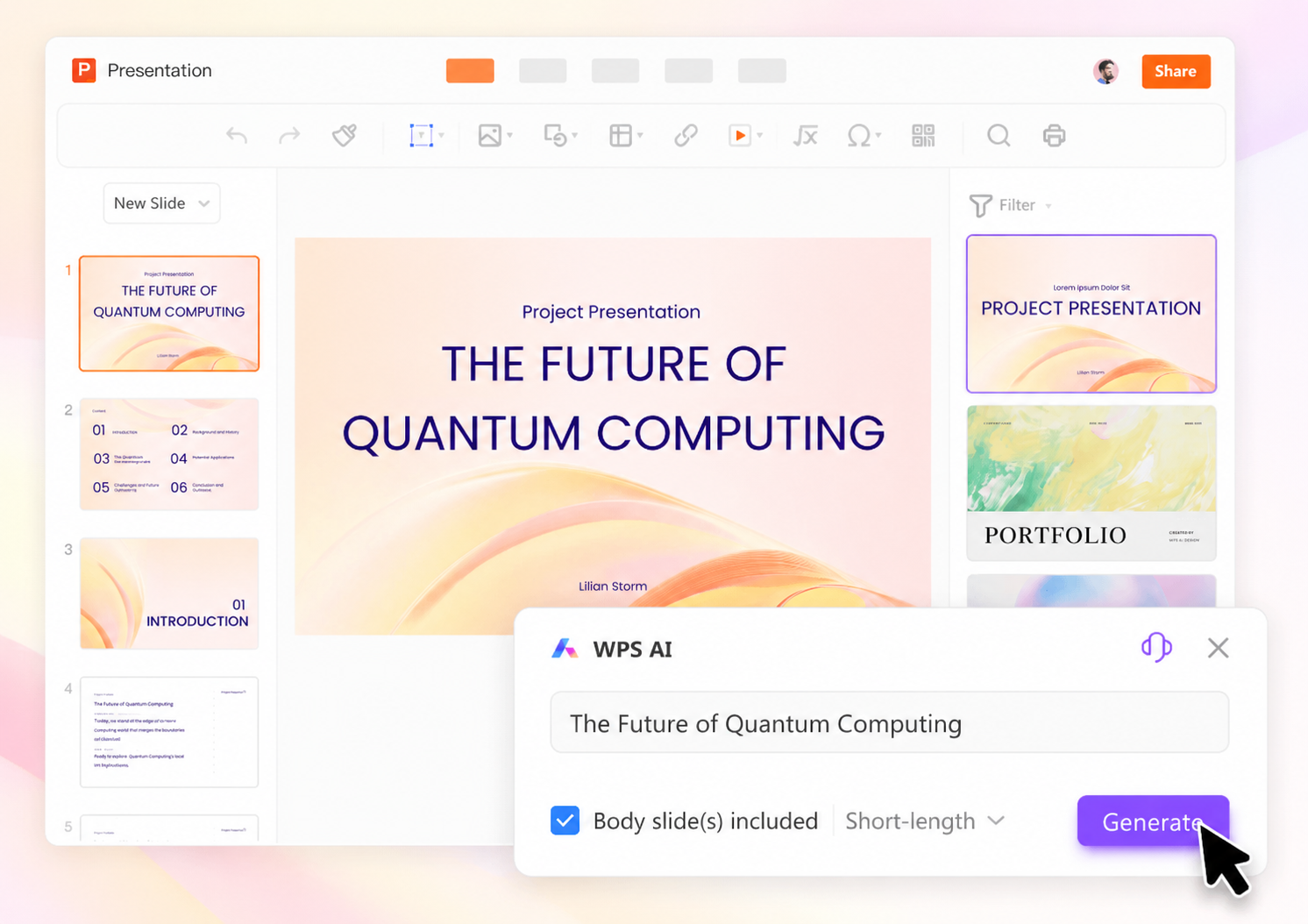
What it helps generate: Slide decks from a topic via Create With AI or from an uploaded document via Create From File inside WPS Presentation.
Best for: Users who want topic-based generation and hands-on editing in a desktop presentation app with PowerPoint file compatibility.
Watch out: Requires WPS Presentation installed.
Editorial note: Web-only deck tools may feel faster for quick share links but use a different editing model.
Editing or export workflow: Edit in WPS Presentation (desktop); save or export in .ppt, .pptx, or .pptm formats compatible with Microsoft PowerPoint.
Official source: WPS Academy — Generate professional PPT with AI Slides
Try WPS AI Slides — generate slides from a topic
Gamma
What it helps generate: Presentation drafts from a text prompt or existing text, with export to PDF, PowerPoint, Google Slides, or a shareable link.
Best for: Teams that want a web-native deck builder with fast AI-first drafts and flexible sharing.
Watch out: Editorial check: test a sample PowerPoint export before committing.
Editing or export workflow: Edit after generation in Gamma; pre-generation outline review is not documented on the source reviewed.
Official source: Gamma — AI presentations
Beautiful.ai
What it helps generate: AI-assisted decks from a topic prompt or pasted outline, with Smart Slides for layout after generation.
Best for: Teams that prioritize consistent layout automation and brand-controlled slide systems in a web editor.
Watch out: Editable PowerPoint export requires a paid plan.
Editorial note: Complex animations may not transfer on export—verify on a sample deck.
Editing or export workflow: Review and refine the slide-by-slide outline before generating slides; edit in Beautiful.ai. Editable PPTX and Google Slides on Pro, Team, or Enterprise plans—check current plan options for other export formats.
Official source: Beautiful.ai — AI presentation software
Plus AI
What it helps generate: Full presentations from a short prompt—Plus AI builds an outline you can edit, then generates slides inside PowerPoint or Google Slides.
Best for: Consultants and teams who live in PowerPoint or Google Slides and want AI generation without leaving those apps.
Watch out: Requires installing the Plus add-in; paid plan after trial.
Editing or export workflow: Customize the outline by editing slide titles or deleting slides, then generate; edit natively in PowerPoint or Google Slides.
Official source: Plus AI Guide — Use a prompt
Microsoft Copilot for PowerPoint
What it helps generate: Create a presentation from a topic prompt and refine the outline before slide generation.
Best for: Organizations standardized on Microsoft 365 who already pay for Copilot in PowerPoint.
Watch out: File-based workflows and availability can vary by Copilot setup, organization settings, and subscription.
Editing or export workflow: Edit natively in Microsoft PowerPoint; output is .pptx inside your M365 environment.
Official source: Microsoft Support — Create a presentation with Copilot in PowerPoint
Which AI Tool Should You Choose?
Need Office-style desktop editing?
→ WPS AI Slides
Already licensed for Microsoft 365 Copilot?
→ Microsoft Copilot for PowerPoint
Need AI inside PowerPoint or Google Slides?
→ Plus AI
Prefer web-first storytelling decks?
→ Gamma
Need auto-layout and brand consistency?
→ Beautiful.ai
Choose WPS AI Slides first if you want AI-generated slides but still need an Office-style desktop editor, editable PowerPoint-compatible files, and a workflow that supports both topic-to-deck and document-to-deck creation.
Choose Microsoft Copilot if your organization already has Microsoft 365 Copilot licenses and works entirely inside PowerPoint.
Choose Plus AI if your team prefers an AI add-in inside existing PowerPoint or Google Slides workflows.
Choose Gamma if web-first sharing and narrative-style layouts matter more than desktop presentation editing.
Choose Beautiful.ai if auto-layout and presentation design consistency are the main priority.
How to Generate Slides From a Topic in WPS AI Slides
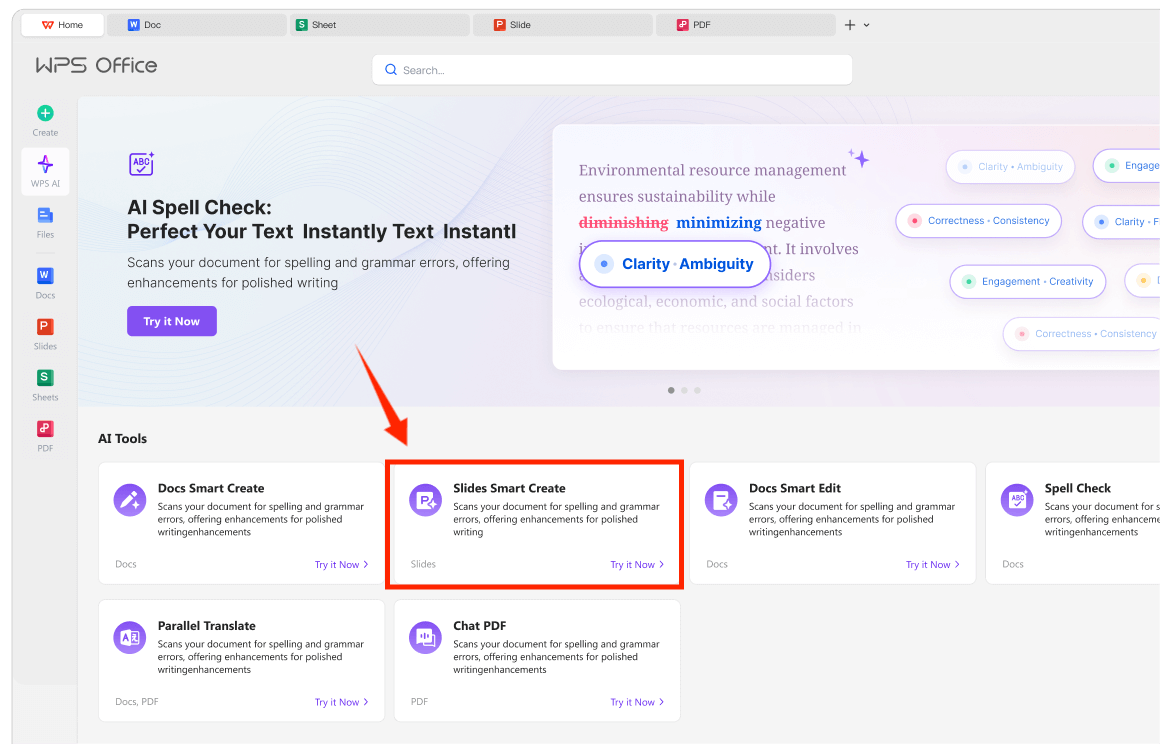
Open WPS Presentation.
Select the WPS AI tab.
Choose Slide Smart Create / Create With AI.
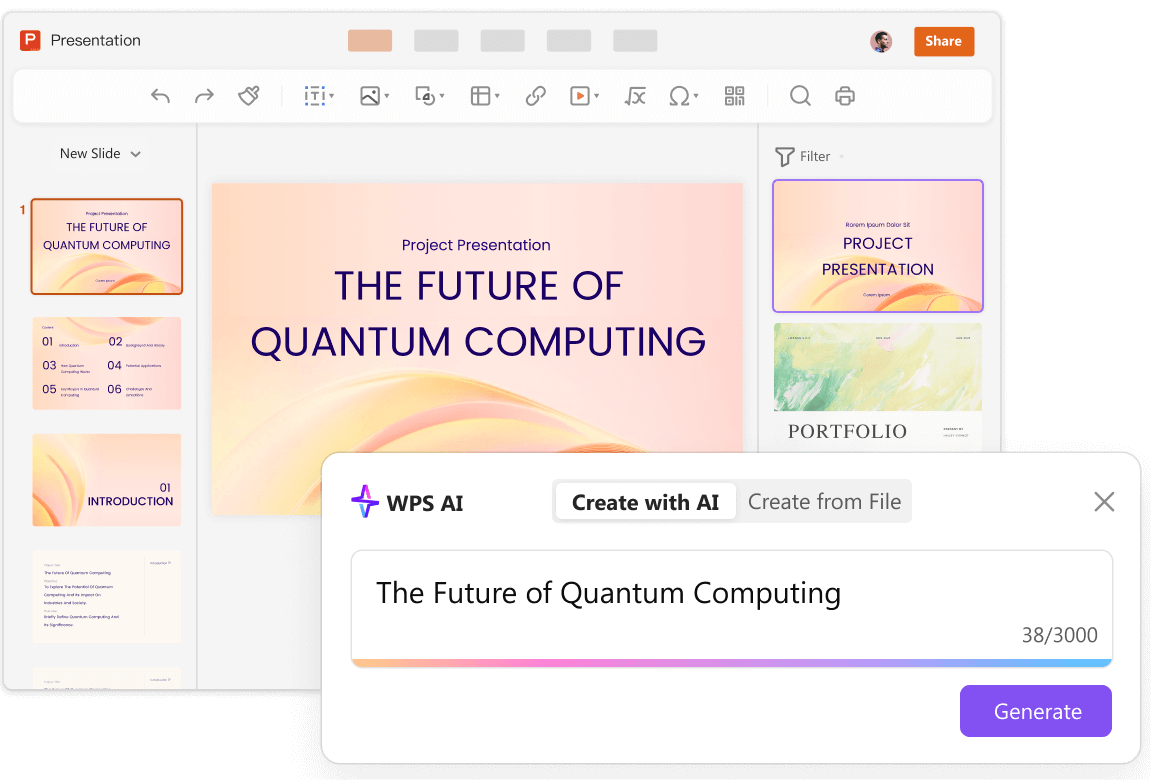
Enter a clear topic (add audience, slide count, and sections for better outlines).
Review the AI outline; adjust section order if needed.
Pick a template and generate slides.
Edit text, layouts, and visuals; save or export in .pptx as needed.
FAQ
Can AI build an entire PowerPoint from just a topic?
Most tools in this guide can turn a topic or prompt into a draft deck, but the amount of outline control, editing flexibility, and export support varies by product. Always fact-check claims and edit before presenting.
Which tool is best if I must edit in PowerPoint?
WPS AI Slides, Plus AI, and Microsoft Copilot target PowerPoint-native or .pptx-compatible workflows. Check current licensing, platform availability, and export requirements before choosing a workflow.
Does WPS support generating slides from a document?
Yes. WPS documents Create From File, which builds slides from an uploaded document's structure.
Are web AI deck tools bad for business decks?
Not necessarily—they excel at speed and visual storytelling. Match the tool to your export, brand, and compliance requirements.
Sources and Last Reviewed
WPS
Third-party tools
Last reviewed: 2026-06-29.