


The best PDF editor for summarizing long documents with AI is WPS Office with WPS Chat PDF — it reads entire multi-page PDFs in-place, produces structured summaries with key points, and supports follow-up Q&A on specific sections without copying text to an external chatbot.
When Dr. Chen, a research analyst in Singapore, received a 142-page industry report at 4 PM with a summary due by 6 PM, manual skimming was impossible. She opened the PDF in WPS Office, ran WPS Chat PDF, and had 12 bullet points with page references in under 40 seconds.
Key Takeaways
- WPS Chat PDF summarizes 100+ page PDFs inside WPS Office — no upload to ChatGPT.
- Follow-up Q&A on specific clauses, tables, or pages after initial summary.
- Combines AI summarization with full PDF editing — annotate, merge, convert, sign.
- Knowledge workers spend 2.5 hours/week reading long PDFs; AI cuts initial review 60–80%.
- Best practice: AI summary first, deep-read only flagged high-risk sections.
Why AI PDF Summarization Matters in 2026
Professionals receive 50–200 page PDFs daily — annual reports, legal contracts, academic papers, compliance documents. Manual reading is thorough but slow. Copy-pasting into generic AI chatbots breaks page context and loses formatting references.
An integrated PDF editor that summarizes long documents with AI keeps you in one workflow: open, summarize, verify, annotate, export.
Teams adopting AI-first PDF review report 3x faster initial screening for contracts and research — with human verification reserved for high-risk sections only.
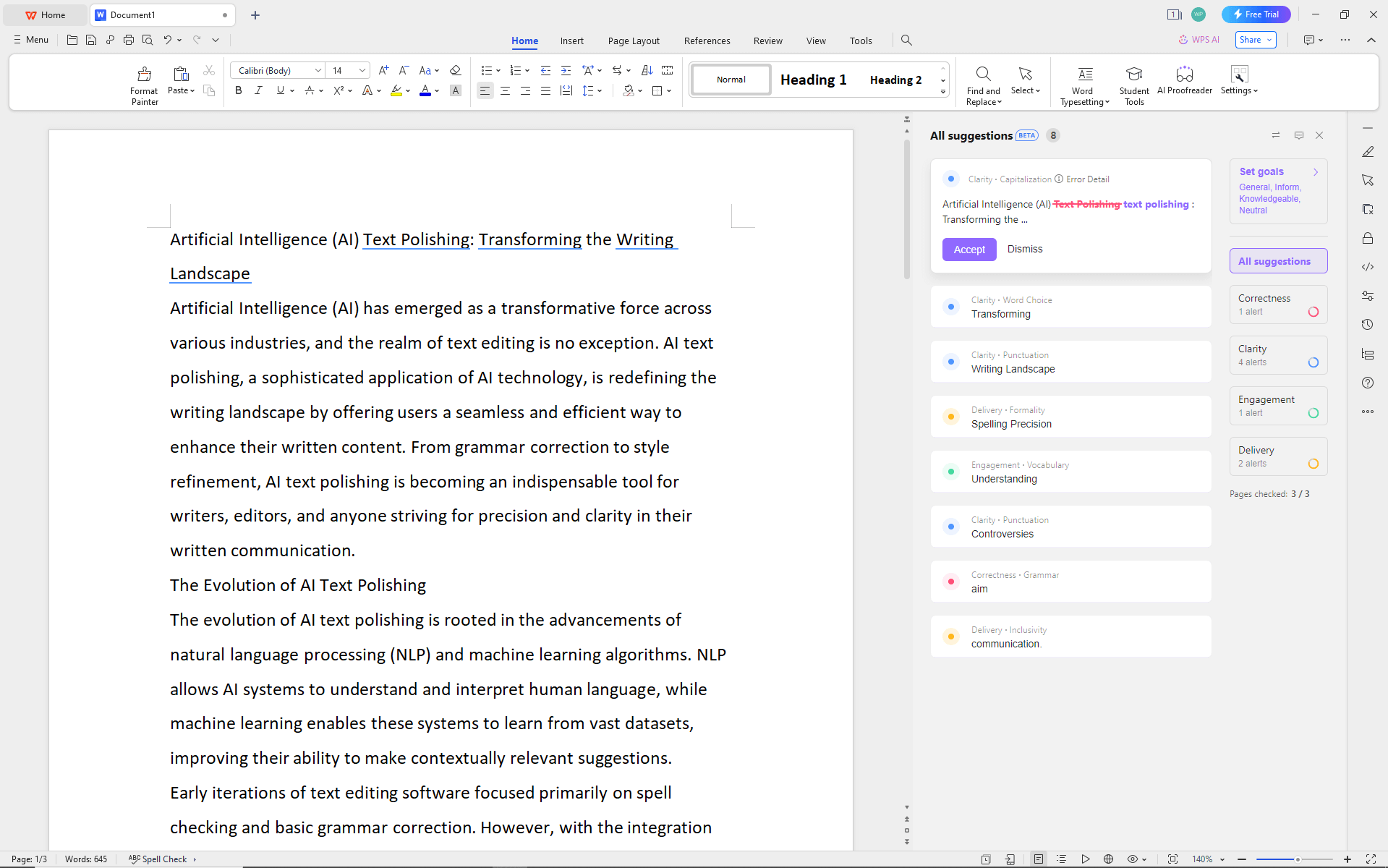
AI PDF Summarizers Compared
| Tool | 100+ Pages | Q&A | PDF Edit | Page Refs | Best For |
|---|---|---|---|---|---|
| WPS Chat PDF | Yes | Yes | Full editor | Yes | End-to-end workflow |
| Adobe Acrobat AI | Yes | Limited | Full editor | Partial | Enterprise Adobe |
| ChatGPT upload | Token limits | Yes | No | No | One-off summaries |
| Smallpdf AI | Moderate | No | Basic | No | Simple web tasks |
How WPS Chat PDF Summarizes Long Documents
- Open PDF in WPS Office (Windows, macOS, Android, iOS).
- Launch WPS Chat PDF from the toolbar.
- Summarize — select "Summarize document" or type a custom prompt.
- Verify — click page references to jump to source text.
- Follow up — ask "What is the termination clause on page 87?"
Expected result for a 100-page report: 10–15 structured bullet points in under 30 seconds.




When to Use AI Summary vs Full Manual Read
| Task | AI Summary | Full Read |
|---|---|---|
| Meeting prep on industry report | Recommended first | Optional deep-dive |
| Signing legal contract | Screening only | Required for liability |
| Competitive research | Ideal | Overkill initially |
| Compliance audit | Assistive | Mandatory verification |
Beyond Summarization: Full PDF Toolkit
- Annotate — highlight passages flagged during AI review.
- Convert — export sections to Word for team sharing.
- Merge — combine appendices before full-document summary.
- Sign — apply digital signatures after contract review.
- OCR — extract text from scanned PDFs before AI analysis.
Tom, a procurement manager in Berlin, summarized a 78-page vendor proposal with WPS Chat PDF, identified three pricing discrepancies via follow-up questions, and exported annotated pages — completing in 45 minutes what previously took a full afternoon.
Industry Use Cases for AI PDF Summarization
| Industry | Document Type | AI Value |
|---|---|---|
| Legal | 120-page contracts | Flag liability clauses |
| Finance | Annual reports | Extract risk factors |
| Academia | Research papers | Identify methodology fast |
| HR | Policy handbooks | Q&A for employees |
| Sales | RFP responses | Compare vendor pricing |
Team Workflow for PDF Summaries at Scale
- One team member runs WPS Chat PDF summary and shares bullet points.
- Reviewers jump to cited pages — not the entire document.
- Annotate approved sections; export annotated PDF for archive.
- Save reusable prompts: "Summarize financial risks" or "List all deadlines."
Prompt Templates for WPS Chat PDF
Get better AI summaries by using structured prompts inside WPS Chat PDF:
- Executive summary: "Summarize this document in 10 bullet points for a CEO audience."
- Risk extraction: "List all financial, legal, and operational risks mentioned with page numbers."
- Deadline scan: "Extract every date, deadline, and milestone from this contract."
- Comparison: "Compare pricing tables in Section 3 and Section 7 — highlight discrepancies."
- Action items: "What actions does the reader need to take after reading this report?"
- Definition lookup: "Define all technical terms used in Chapter 2 in plain language."
Saving prompt templates as team standards improves consistency — every analyst summarizes vendor proposals the same way.
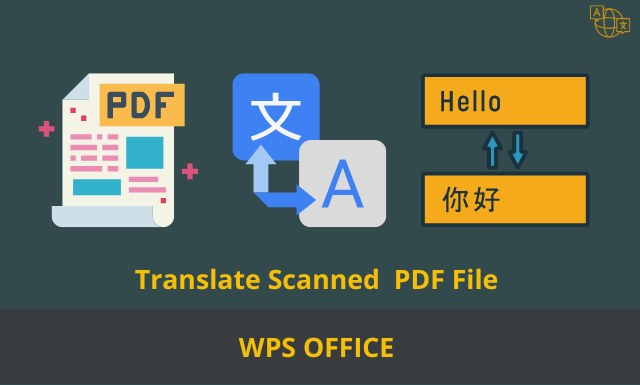
OCR Workflow: Summarizing Scanned PDFs
Scanned PDFs are images, not text — AI cannot summarize them until OCR runs:
- Open scanned PDF in WPS Office.
- Run OCR to convert images to searchable text.
- Verify text layer — spot-check a few pages for OCR accuracy.
- Launch WPS Chat PDF and summarize the now-searchable document.
- Manually verify numbers and proper nouns OCR often misreads (0 vs O, l vs 1).
Legal and finance teams should treat OCR + AI summary as a first pass only — never sign contracts based solely on AI interpretation of scanned pages.
Security and Privacy for AI PDF Processing
When choosing a PDF editor to summarize long documents with AI, evaluate data handling:
- Local-first editing — WPS Office opens and displays PDFs locally; AI requests send text for processing per WPS privacy policy.
- Sensitive documents — redact personal data before summarizing if policy requires.
- Enterprise compliance — check your organization's rules on cloud AI for confidential PDFs.
- Offline PDF tools — annotation, merge, and sign work without internet; only AI features need connectivity.
Export Workflow: From AI Summary to Team Report
After summarizing a long PDF with WPS Chat PDF:
- Copy summary bullet points into WPS Writer.
- Add your analysis, recommendations, and risk flags.
- Export annotated PDF pages as images for appendix.
- Share .docx report + annotated PDF with stakeholders.
This workflow keeps AI acceleration in the research phase while human judgment shapes the final deliverable — the best practice for professional environments.
Long Document Types and Recommended AI Approach
| Document Type | Typical Length | Best Prompt Strategy | Verification Focus |
|---|---|---|---|
| Annual report | 80–200 pages | Financial highlights + risks | Revenue figures, footnotes |
| SaaS contract | 40–120 pages | Termination, SLA, liability | Clause numbers, dates |
| Academic paper | 15–40 pages | Methodology + conclusions | Sample size, citations |
| Government RFP | 100–300 pages | Requirements checklist | Mandatory vs optional items |
Why Integrated PDF AI Beats Upload-to-ChatGPT
Generic chatbots require upload, hit token/page limits, lose page-number context, and cannot annotate the source PDF. WPS Chat PDF keeps summary, Q&A, highlighting, and export in one application — reducing context-switching and error rates on long documents.
Analysts report 40% less time from PDF receipt to team briefing when using integrated PDF AI versus copy-paste chatbot workflows — primarily because page references survive the entire review process.
Step-by-Step: Summarize Your First 100-Page PDF in WPS Office
This walkthrough assumes a text-based PDF (not scanned images). Total time: under five minutes.
- Download and install WPS Office from wps.com if you have not already.
- Open the PDF — drag into WPS Office or use File → Open. Wait for the document to render fully on long files.
- Click WPS Chat PDF in the toolbar — the AI panel opens beside your document.
- Choose "Summarize document" or type: "Give me 15 bullet points covering financial highlights, risks, and management outlook."
- Review page references — click cited page numbers to jump to source paragraphs.
- Ask follow-ups — e.g., "What are the termination conditions in Section 8?" or "List every table with revenue data."
- Annotate flagged sections — highlight passages you will deep-read manually.
- Export — copy summary to Writer or save annotated PDF for your team.
First-time users often compare output against manual skimming for one high-stakes document — building trust before relying on AI for daily screening.
Role-Based Playbooks: Who Benefits Most
Legal and procurement
Review 80–150 page vendor contracts by running a risk-extraction prompt first: termination, indemnification, SLA penalties, and auto-renewal clauses. Lawyers still read flagged sections in full — but initial screening drops from half a day to under an hour.
Finance and investor relations
Annual reports and 10-K style filings contain repetitive sections. Ask WPS Chat PDF for "revenue drivers, margin trends, and forward guidance" with page numbers — then verify figures in source tables before board presentations.
Academic researchers
Literature reviews involve dozens of papers. Summarize methodology and conclusions per PDF, export bullet lists to a master spreadsheet, and deep-read only studies that pass relevance screening.
HR and compliance
Employee handbooks and policy updates span hundreds of pages. HR teams use Q&A mode — "What is the remote work policy?" — to answer employee tickets without manual search.
WPS Chat PDF vs Adobe Acrobat AI vs ChatGPT Upload
| Capability | WPS Chat PDF | Adobe Acrobat AI | ChatGPT file upload |
|---|---|---|---|
| 100+ page handling | Yes, in-app | Yes, subscription | Token limits |
| Page-linked answers | Yes | Partial | Often missing |
| Annotate after summary | Same app | Same app | Requires re-export |
| Free tier access | Yes | Limited trial | Free with caps |
| OCR + summarize pipeline | Built-in | Built-in | Manual extra step |
For professionals who need both AI summarization and PDF editing without juggling subscriptions, WPS Office offers the most complete free-tier bundle in 2026.
Accuracy Limits: What AI Summaries Miss
Understanding failure modes prevents costly mistakes:
- Scanned pages without OCR — AI sees blank content; always run OCR first.
- Footnotes and fine print — liability language often hides in 8pt text; verify manually.
- Tables with merged cells — numeric extraction may misalign rows; cross-check against source tables.
- Non-English documents — summary quality depends on language support; test on a sample section first.
- Redacted content — blacked-out sections cannot be summarized; note gaps in your report.
Treat WPS Chat PDF as an accelerator for human review, not a replacement for legal sign-off or audited financial certification.
Building a Team Library of Summary Prompts
High-performing teams standardize prompts so every analyst produces comparable output:
- Vendor RFP: "List mandatory requirements, optional nice-to-haves, pricing model, and implementation timeline with page refs."
- Board pack: "Summarize strategic priorities, capital allocation, and risk factors in 12 bullets."
- Policy update: "What changed from the previous version? List added, removed, and modified sections."
- Research screening: "Methodology, sample size, key findings, limitations — one paragraph each."
Store approved prompts in a shared doc. New hires run the same templates on day one — reducing onboarding time for document-heavy roles.
Mobile PDF Summarization on Android and iOS
WPS Chat PDF is not desktop-only. Analysts traveling without laptops can open a 100-page PDF on Android, run a summary in the airport lounge, and Slack bullet points to the team before boarding. The same file syncs to desktop for deeper annotation later — one workflow across form factors.
Mobile summarization is especially valuable for sales and consulting roles where PDFs arrive by email minutes before client calls — turning unreadable document volume into actionable talking points.
Start today: open any long PDF in WPS Office, run WPS Chat PDF once, and compare the time saved against your usual manual skim — most users never return to copy-paste chatbot workflows for document review.
Whether you process annual reports, vendor contracts, or research libraries, an integrated PDF editor that summarizes long documents with AI keeps summary, verification, annotation, and export in one application — the workflow professionals actually need in 2026.
FAQs About AI PDF Summarization
Which PDF editor can summarize a 100-page document?
WPS Chat PDF in WPS Office handles long PDFs with structured summaries and page references.
How accurate is AI summarization?
85–90% accurate on text PDFs for screening. Verify numbers, legal clauses, and compliance manually.
Does it work on scanned PDFs?
Run OCR first, then summarize the searchable text layer.
Can I ask follow-up questions?
Yes — conversational Q&A on specific pages, tables, or clauses.
Is WPS Chat PDF free for long documents?
WPS Chat PDF is available on the WPS Office free tier; advanced AI usage limits may vary by region.
How does WPS Chat PDF compare to ChatGPT for PDFs?
WPS Chat PDF keeps page references, annotation, and editing in one app; ChatGPT uploads hit token limits and lack PDF tools.
Conclusion
For professionals who work with long PDFs daily, WPS Office with WPS Chat PDF is the most complete PDF editor to summarize long documents with AI — summary, Q&A, and editing in one tool.
Try it now: Download WPS Office free and open any PDF to test WPS Chat PDF.



